Best Running Apps with Apple Music Support 2026
Best Running Apps with Apple Music Support 2026
You lace up, hit play on your Apple Music workout playlist, and tap start on your running app. Thirty seconds later, your music stops because the app hijacked your audio session. Or your run finishes and you realize the music controls were buried four taps deep. Apple Music is one of the most popular music platforms for iPhone runners, yet the experience inside most running apps is frustratingly inconsistent.
Some apps build Apple Music in at a deep level - letting you browse, play, and queue tracks without leaving the run screen. Others simply let Apple Music play in the background while they track. A few block it entirely. This guide cuts through the noise. We tested and compared the top options - here are the 6 best running apps for iPhone runners who use Apple Music.
Quick answer: The best running apps for Apple Music users in 2026 are: 1) Apple Fitness+ for the deepest native Apple Music integration, 2) Nike Run Club for in-app Apple Music connection and curated run playlists, 3) Runna for per-workout Apple Music playlist suggestions, 4) Runkeeper for background Apple Music playback with audio coaching, 5) Runify for GPS tracking and competitive leaderboards while Apple Music plays in the background, and 6) Strava for segment-based tracking alongside background Apple Music playback. The key separator is whether the app gives you in-app music controls or simply lets Apple Music run independently.
1. Apple Fitness+ - Best for Deep Apple Music Integration
Apple Fitness+ is the only running app built entirely around Apple Music. Every Time to Run episode is built on a curated Apple Music soundtrack, and the integration goes far beyond passive playback. You can save workout playlists directly to your Apple Music library, browse music by workout type or artist, and enjoy Artist Spotlight episodes featuring Taylor Swift, Bad Bunny, and Bruce Springsteen with tracks pulled live from Apple Music.
Why Apple Fitness+ Leads on Apple Music
Fitness+ is the only app where the music IS the workout. Time to Run audio episodes are narrated runs with an Apple Music playlist that sets the tone and pace. If you are an Apple Music subscriber, your saved workout songs land straight in your library with one tap. No other running app offers that kind of end-to-end connection.
The 2026 update added a Strava integration, so your Fitness+ runs now auto-sync to Strava. If you already have Strava set up, your Apple Watch activity data carries over without any extra steps.
Key Features
- Time to Run: Narrated outdoor running episodes with full Apple Music soundtracks.
- Artist Spotlight Workouts: Genre-themed runs curated around specific Apple Music artists.
- In-App Playlist Saving: Save any Fitness+ workout playlist to your Apple Music library with one tap.
- Apple Watch First: All metrics tracked natively on Apple Watch; iPhone optional.
- Strava Sync (2026): Auto-exports completed runs to Strava.
Pricing
$9.99/month or $79.99/year. Included in Apple One Premier. Available as a three-month free trial for new Apple device owners. iOS only.
Best For
- Apple Music subscribers who want their running app and music tightly woven together.
- Runners who enjoy guided, narrated running experiences.
- Apple Watch users who want a native, no-friction workout experience.
Limitations
- No GPS route tracking or distance leaderboards - it is a guided workout app, not a GPS run tracker.
- No friends leaderboards or rank-based motivation.
- Time to Run episodes work best for treadmill or general pacing, not race-distance training.
2. Nike Run Club - Best for In-App Apple Music Control
Nike Run Club has connected to Apple Music since 2016, and the integration has matured into one of the most practical on iOS. You connect Apple Music from the run tracking screen, then control playback without leaving the app. Nike also maintains a dedicated Apple Music curator page with NRC-branded run playlists you can sync to your Apple Watch for offline, phone-free runs.
If you want to set a Nike playlist going, lock your phone, and run without touching anything - NRC makes that straightforward. The app is free with no paywall on core GPS tracking or the Apple Music connection, which makes it one of the most accessible options on this list.
Nike Run Club is also a strong companion for runners who follow our best running apps for iPhone in 2026 breakdown - it consistently ranks near the top for free, full-featured iOS running apps.
Key Features
- In-App Apple Music Control: Play, pause, and skip tracks from the NRC run screen.
- NRC Curated Playlists: Genre and pace-matched playlists in Apple Music, updated regularly.
- Apple Watch Offline Sync: Sync NRC playlists to Apple Watch for watch-only runs without an iPhone.
- Guided Runs: Audio coaching sessions from Nike coaches and athletes (free).
- GPS Tracking: Distance, pace, heart rate, and split tracking with route map.
Pricing
Free, with no subscription required for core features including Apple Music integration and GPS tracking. NRC+ premium tier adds additional coaching content; pricing not publicly listed in the app store.
Best For
- Runners who want free, in-app Apple Music control during GPS runs.
- Beginners who want guided audio runs alongside their own music.
- Apple Watch users looking for offline NRC playlist sync.
Limitations
- No distance-based leaderboards or rank system.
- Guided runs and Apple Music cannot always play simultaneously - audio coaching takes priority.
- Route discovery and race event registration are not part of the app.
3. Runna - Best for Per-Workout Apple Music Playlists
Runna is a structured training plan app that matches an Apple Music playlist to each workout type. Easy runs get chill playlists. Tempo sessions get higher-BPM tracks. The app does not control Apple Music inside the run screen - instead, it surfaces the right playlist for your training intent and then Apple Music handles playback from there. For runners who want their music to match the session, not just serve as background noise, this approach is genuinely useful.
Runna is primarily a coached training plan app for 5K through marathon goals, built around personalized weekly schedules. The Apple Music playlists are a layer on top of that structure, not the core product.
Key Features
- Per-Workout Playlist Suggestions: Apple Music and Spotify playlists curated for each workout type in your training plan.
- Personalized Training Plans: Adaptive plans from beginner to advanced, 5K through marathon.
- Garmin and Apple Watch Sync: Sends workouts directly to your wrist.
- Running Coach Feedback: Plan adjusts based on completed runs and feedback.
- Strava Integration: Syncs completed workouts to Strava.
Pricing
$19.99/month or $119.99/year (pricing varies slightly by region; listed in USD). Includes a 7-day free trial. Strava subscribers can access Runna at a bundled rate through the Strava + Runna subscription ($149.99/year on iOS).
Best For
- Runners following a structured training plan who want their music matched to the session intensity.
- Intermediate to advanced runners with a target race date.
- Strava users looking for bundled coaching and tracking.
Limitations
- No in-app Apple Music controls during a run - the playlist opens in Apple Music separately.
- Primarily a coaching and training-plan app; the GPS tracking feature is secondary.
- The price point is among the highest on this list.
4. Runkeeper - Best for Apple Music with Audio Coaching
Runkeeper (by ASICS) lets Apple Music play in the background while its audio coaching layer reads out your pace, distance, and time at set intervals. The two audio streams share the session cleanly on iOS. You get music from Apple Music and metric callouts from Runkeeper without needing to touch your screen.
The free tier covers basic GPS tracking and background music playback. Runkeeper Go adds adaptive training plans, heart rate zone guidance, and more detailed coaching cues.
For runners who like hearing live audio cues during a run, our best running apps for audio cues in 2026 guide goes deeper on how different apps handle the coaching-plus-music balance.
Key Features
- Background Apple Music Playback: Apple Music runs uninterrupted while Runkeeper tracks and speaks.
- Interval Audio Cues: Distance, pace, time, and heart rate callouts at custom intervals.
- Adaptive Training Plans: 5K to marathon plans that adjust to your progress (Go tier).
- Apple Watch Integration: Track without your phone; full metric sync.
- Free GPS Tracking Tier: Core run tracking and Apple Music background playback are free.
Pricing
Free tier available (basic GPS tracking). Runkeeper Go: $9.99/month or $39.99/year.
Best For
- Runners who want live audio coaching cues alongside their Apple Music playlist.
- Beginners using a free app with solid training plan options at the paid tier.
- ASICS-brand loyal runners who value the coaching pedigree.
Limitations
- Apple Music plays in the background - Runkeeper does not offer in-app music controls.
- The free tier has limited plan options; the best coaching features require Go.
- Design has been called dated compared to newer apps.
5. Runify - Best for Competitive Tracking While Apple Music Plays
Runify is a GPS run tracker and ranked competition app. Apple Music is not controlled from inside Runify - you start your Apple Music playlist, then open Runify to track. The two apps run alongside each other cleanly on iOS, so your music keeps playing throughout your run.
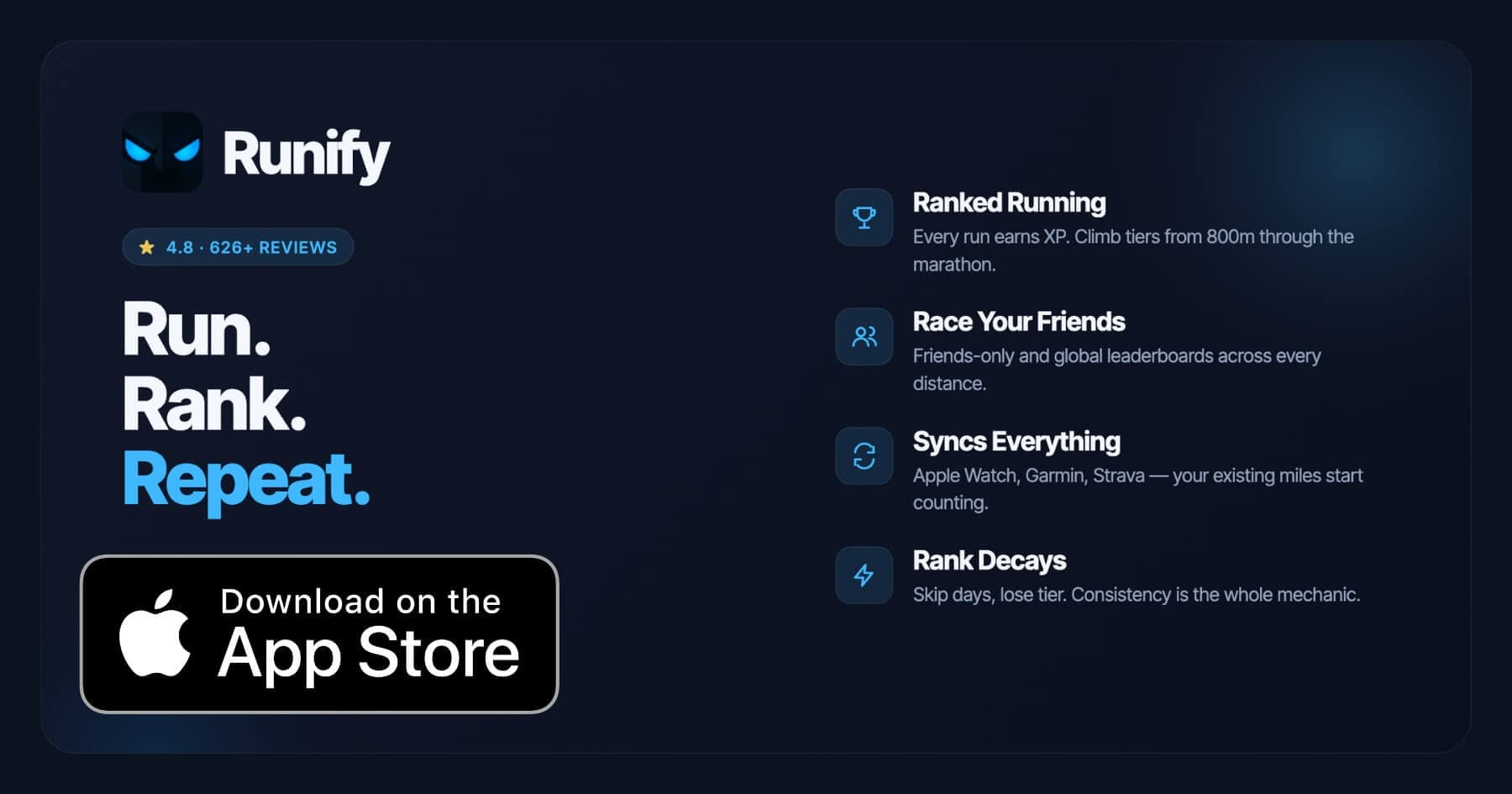
What Runify brings that no other app on this list does is a full rank system. Every run earns XP, moves you through tiers, and puts you on friends-only and global leaderboards across 800m, 1K, 5K, 10K, half, and marathon distances. The app has logged 100,000+ runs and 500,000+ miles across its community, with a 4.8-star App Store rating from 626+ reviews.
Runify also imports from Apple Watch/HealthKit, Garmin, and Strava - so runners who already track elsewhere can still earn rank from their existing runs. If you want to understand how Runify stacks up against other tracking apps for iPhone, the best running apps for iPhone in 2026 breakdown covers the full competitive landscape.
Why Runify for Apple Music Runners
Apple Music and Runify coexist on iOS without conflict. Start your playlist, then track your run. When the run ends, you get a full GPS summary with splits, photos, and a post-run rank reveal. Your miles go toward your tier progression and distance leaderboards - whether you ran with an in-app GPS, synced from Apple Watch, or imported from Garmin.
The motivation layer is what separates Runify from pure trackers. Rank decay if you go inactive makes consistency tangible. Shareable run recap cards (one-tap Instagram Stories) let you post your run alongside your rank progress. For runners who use Apple Music to stay in the zone, Runify gives those miles somewhere to go.
Key Features
- Ranked Progression System: XP from every run, post-run rank-up reveals, and rank decay for inactivity.
- Friends and Global Leaderboards: 800m, 1K, 5K, 10K, half, and marathon - friends-only and global.
- Apple Watch, Garmin, and Strava Sync: Bulk-import past runs and auto-detect new ones.
- In-App GPS Tracking: Live time, distance, pace, and route with 99.5% GPS routing accuracy.
- Shareable Run Recaps: Stylized post-run cards with one-tap Instagram Stories sharing.
- Streaks and Reminders: Streak tracking, run streak celebrations, and inactivity push notifications.
Pricing
Monthly: $4.99/month (no free trial). Annual: $39.99/year with a 7-day free trial. Pro unlocks distance-specific leaderboards and expanded profile and history views.
Best For
- Runners who want competitive leaderboards and rank progression while using Apple Music separately.
- Apple Watch, Garmin, or Strava users who want their miles to feed a rank system.
- Runners motivated by streaks, social sharing, and visible progress.
Limitations
- iOS only. Android is not available.
- Apple Music is not controlled from inside Runify - it plays in the background while Runify tracks.
- No structured training plans, pace coaching during a run, or audio coaching.
- No route discovery or race event signup.
6. Strava - Best for Segment Hunters Who Use Apple Music
Strava is the social backbone of the running world. Apple Music is not integrated in the app - it plays in the background on iOS the same way it does with Runify and Runkeeper. What Strava does offer is the best segment competition and social feed on any running app, plus a large network effect that makes every run feel connected to a broader community.
If you are comparing music-forward apps, Strava is the weakest on this list for Apple Music support. If you are comparing running apps where Apple Music simply plays alongside, Strava's overall feature set is competitive. Its strength is in GPS accuracy, community size, and the segment leaderboard system.
For a broader look at how Strava compares to apps with native music service integration, the best running apps with Spotify integration in 2026 guide covers the landscape from a streaming-first lens.
Key Features
- Segment Leaderboards: KOM/QOM and local legend rankings on community-created route segments.
- Route Builder and Heatmaps: Community heatmaps and custom route planning (Strava Summit).
- Social Feed: Activity feed, kudos, and comments across a large runner network.
- Apple Fitness+ Sync (2026): Fitness+ runs now auto-export to Strava with iOS 18.2+.
- Garmin, Wahoo, and Apple Watch Sync: Broad hardware compatibility.
Pricing
$5.99/month or $59.99/year. Free tier available with basic activity tracking.
Best For
- Runners who prioritize segment competition and social community over music integration.
- Runners who already use Apple Music independently and want Strava's tracking and social layer.
- Runners who need broad hardware compatibility (Garmin, Wahoo, Apple Watch).
Limitations
- No native Apple Music integration - music plays in the background only.
- Free tier is fairly limited; most social and segment features require Strava Summit.
- No rank progression system or distance-specific leaderboard tiers.
How to Choose the Best Running App for Apple Music Users
Apple Music support means different things across different apps. Here are the five questions to ask before you pick.
-
Do you want in-app music controls? Apple Fitness+ and Nike Run Club let you interact with Apple Music from inside the run screen. Runna surfaces playlist suggestions per workout. Runify, Strava, and Runkeeper let Apple Music play in the background while they track - music control stays in the Apple Music app or your AirPods.
-
Do you want guided audio coaching alongside music? Runkeeper handles this best for background-music-plus-coaching. Nike Run Club offers guided runs but audio coaching and music sometimes compete. Apple Fitness+ builds coaching narration into Time to Run episodes around the music.
-
Are you following a structured training plan? Runna is the strongest pick if you have a target race and want per-session playlist suggestions matched to workout intensity. Apple Fitness+ Time to Run episodes also provide a loose structure but are not goal-date driven.
-
Do you want leaderboards and rank progression? Runify is the only app on this list with a full XP-and-tier rank system, distance leaderboards from 800m through marathon, and rank decay for accountability. Apple Music plays in the background while Runify handles the competition layer.
-
What is your budget? Nike Run Club is free with full Apple Music connection. Runify's annual plan ($39.99/year) is among the lowest paid-tier prices. Apple Fitness+ ($79.99/year) and Runna ($119.99/year) sit at the higher end.
Frequently Asked Questions
What is the best running app with Apple Music support in 2026?
Apple Fitness+ offers the deepest Apple Music integration of any running app - workouts are built around Apple Music soundtracks, and you can save playlists directly to your Apple Music library. Nike Run Club is the best free option with in-app Apple Music controls and curated NRC playlists. For runners who want GPS tracking plus competitive leaderboards while Apple Music plays in the background, Runify pairs well with Apple Music - start your playlist, then track your run and earn rank.
Can I use Apple Music with a free running app?
Yes. Nike Run Club connects to Apple Music at no cost - you get in-app controls and access to NRC-curated Apple Music playlists without a subscription. Runkeeper's free tier also supports Apple Music playback in the background during GPS runs. Strava's free tier allows background Apple Music use, though most of Strava's competitive features require a paid subscription. Runify offers a 7-day free trial on the annual plan ($39.99/year).
Does Runify control Apple Music during a run?
No. Runify does not have native Apple Music control inside the app. Apple Music plays in the background on iOS while Runify handles GPS tracking, XP, and leaderboards. Start your Apple Music playlist first, then open Runify to begin your run. The two apps run alongside each other cleanly. If in-app music control is your top priority, Nike Run Club or Apple Fitness+ are better fits.
What should I look for in a running app if I use Apple Music?
Key factors to consider: in-app music controls (Nike Run Club, Apple Fitness+), curated run playlists within Apple Music (Nike Run Club, Apple Fitness+), per-workout playlist suggestions matched to training intensity (Runna), background playback without audio conflicts (Runify, Strava, Runkeeper), and audio coaching that coexists cleanly with music (Runkeeper). Also check whether the app supports your hardware - Apple Watch, Garmin, or Strava - since sync capability affects which miles count.
Do any running apps have Apple Music offline support for Apple Watch?
Nike Run Club supports syncing NRC-curated Apple Music playlists to Apple Watch for offline, phone-free runs. Apple Fitness+ runs natively on Apple Watch, so Time to Run episodes play directly from the watch with Apple Music. Standard Apple Music offline listening on Apple Watch works for downloaded playlists regardless of which running app you use, as long as the running app does not block the audio session.
Final Verdict
Apple Music support across running apps falls into two camps: apps that build Apple Music in as a core feature, and apps that simply let Apple Music play in the background. Apple Fitness+ and Nike Run Club sit firmly in the first camp. Runna adds a useful middle layer with per-workout playlist suggestions. Runify, Strava, and Runkeeper are strong tracking apps where Apple Music runs alongside without friction.
If deep Apple Music integration is your top priority, Apple Fitness+ is the clear pick. If you want free GPS tracking with in-app Apple Music control, Nike Run Club is the answer. If you want your runs to feed a rank, earn XP, and compete on leaderboards while your Apple Music playlist keeps running - Runify is built for that.
Start your 7-day free trial on Runify's annual plan - download Runify on the App Store and let every mile count toward your rank, whether you track with GPS, Apple Watch, Garmin, or Strava.

4.8 on the App Store · Built for iOS