Best Running Apps with Audio Cues 2026
Best Running Apps with Audio Cues 2026
You're three miles into your run with your phone in your pocket and your eyes forward. The only way you know your pace is if the app speaks it to you. Some apps nail this: they call out your split, your distance, your current pace so you never have to slow down and squint at a screen.
Others are silent the whole way and hand you a summary only when you're done. That gap matters more than most reviews admit.
We tested and compared the top options. Here are the 6 best running apps with audio cues for iPhone runners in 2026.
Quick Answer: The best running apps with audio cues in 2026 are: 1) Nike Run Club for free guided audio runs with Coach Bennett narration, 2) Runkeeper for the most customizable audio cue setup available, 3) Runna for live pace-target audio cues tied to a structured plan, 4) Strava for clean subscriber audio announcements at mile or kilometer intervals, 5) Runify for tracking, ranking, and post-run recaps (no in-run audio cues), and 6) Adidas Running for free story-run audio with a solid free tier. Nike Run Club leads on guided audio; Runkeeper leads on pure cue flexibility.
1. Nike Run Club - Best Free Audio-Guided Running App
Nike Run Club is free and ships with one of the strongest audio experiences in the category. Coach Bennett and other Nike coaches narrate full guided runs, offering pacing prompts, breathing cues, and motivation at key moments. The app is free on iPhone with no subscription required for its guided audio runs.
Audio cues in NRC cover pace checks, distance milestones, and interval prompts during structured workouts. The narration is pre-recorded rather than adaptive, but the production quality is high and the run library is extensive.
Why Nike Run Club Leads on Audio
The guided run library spans easy days, tempo runs, long runs, and race-prep sessions. Each has a named coach leading you through the full effort with audio cues woven throughout.
If you want spoken-aloud stats (pace, distance, time) plus motivational coaching audio in a single free app, NRC is the benchmark. No other free option matches its audio depth.
The Apple Watch app works well for hands-free tracking, and NRC syncs to Apple Health automatically.
Key Features
- Guided Audio Runs: Coach-narrated sessions with pace cues, breathing prompts, and interval signals.
- Distance and Pace Announcements: Automatic audio at set intervals during free runs.
- Run Streaks and Challenges: Weekly milestones and monthly distance goals with push notifications.
- Apple Watch Support: Tracks runs natively on Apple Watch and syncs back to iPhone.
- Apple Health Sync: All runs write to HealthKit for cross-app visibility.
Pricing
Free. No subscription required for guided audio runs or pace cue features. The full library of guided runs is included at no cost.
Best For
- Runners who want coach-narrated audio guidance without paying a subscription.
- Beginners who want real coaching context alongside their pace and distance cues.
Limitations
- Audio cues are not fully customizable; you cannot adjust announcement frequency as precisely as Runkeeper.
- No distance-specific leaderboards or rank-based progression.
- No Garmin or Strava sync; imports only via Apple Health/HealthKit.
2. Runkeeper - Best for Customizable Audio Cues
Runkeeper by ASICS is the most configurable audio cue app available for iPhone runners. You choose exactly which stats get announced, how often, and in what order. Options include current pace, average pace, current split pace, distance, elapsed time, heart rate, and more.
This granular control makes Runkeeper the go-to for runners who want their audio experience tailored to their exact workout. Basic audio cues work on the free tier; Runkeeper Go unlocks the full cue set and guided workouts. If you want the deepest audio customization without paying for a full coaching plan, this is your app, as covered in our best running apps for iPhone 2026 roundup.
Key Features
- Fully Customizable Audio Stats: Choose from pace, speed, split pace, distance, time, and heart rate. Set announcement intervals by time or distance.
- Guided Workouts with Audio: Coached interval and tempo sessions with audio prompts throughout.
- Apple Watch Tracking: Runs tracked on Apple Watch sync back to Runkeeper automatically.
- Training Plans: Structured plans for 5K through marathon with audio-guided workouts.
- Apple Health Sync: All activities write to HealthKit.
Pricing
Free for basic tracking and core audio cues. Runkeeper Go costs $9.99/month or $39.99/year. The premium tier unlocks the full cue customization, guided workouts, and training plans.
Best For
- Runners who want full control over which stats get called out and how often.
- Intermediate runners building toward a race who want audio-guided structured workouts.
Limitations
- The interface feels dated compared to newer apps.
- Training plans require a Go subscription.
- No rank or competitive progression system.
3. Runna - Best Audio Cues for Structured Plan Runners
Runna generates personalized training plans and delivers live audio cues directly tied to each workout's pace targets. When you're in a tempo run, Runna speaks your current pace versus your target. When you enter a recovery interval, it tells you to ease off. The audio is contextual rather than just periodic stat dumps.
Pricing is higher than most: $19.99/month or $119.99/year (first week free). That cost reflects a full coaching layer, not just a tracker. If you want audio cues that adapt to your workout structure rather than just milestone announcements, Runna is worth the premium.
Key Features
- Live Pace-Target Audio Cues: Spoken alerts when you drift above or below your target zone.
- Contextual Workout Audio: Announces segment transitions (e.g., moving from warm-up to tempo pace).
- Apple Watch Integration: Tracks runs on-wrist and delivers audio cues through the watch.
- Garmin Compatibility: Syncs training plans to Garmin devices.
- Plan Adaptation: Weekly plan adjusts based on completed workouts and how you ran them.
Pricing
$19.99/month or $119.99/year. First week free on both plans. No meaningful free tier; Runna is a subscription product.
Best For
- Runners who want audio cues that respond to their plan, not just a clock.
- Half-marathon and marathon trainers following structured build phases.
Limitations
- Expensive relative to audio-cue-only apps.
- Overkill if you just want distance and pace announcements without a coaching plan.
- iOS only; no web dashboard for plan review.
4. Strava - Best Audio Cues for Casual Subscribers
Strava added audio announcements for subscribers and they work cleanly on iPhone. You get pace and distance called out at every half-mile, every kilometer, or every full mile depending on your preferences. Split times are announced at each marker.
Strava is not an audio-first app, but its announcements are reliable and unobtrusive. The main caveat: audio cues require a Strava subscription. The free Strava tier is tracking-only with no audio. If you're already a Strava subscriber for social features and segments, the audio cues are a useful addition at no extra cost.
Key Features
- Interval Audio Announcements: Pace, distance, and elapsed time at configurable intervals.
- Split Announcements: Called out automatically at each mile or kilometer marker.
- Segment Alerts: Optional notification when you enter a known Strava segment.
- Social Feed and Kudos: Activity feed with friends, clubs, and weekly leaderboards.
- Apple Watch Support: Standalone app tracks runs without the phone.
Pricing
Free tier available (no audio cues). Strava subscription costs $11.99/month or $79.99/year. Audio announcements are a subscriber-only feature.
Best For
- Runners already using Strava for social features who also want basic audio cues.
- Those who care about segment tracking and leaderboards alongside announced stats.
Limitations
- Audio cues are paywalled; free users get nothing spoken during a run.
- Less customizable than Runkeeper; fewer stat options and announcement intervals.
- No rank progression or XP system.
5. Runify - Best Tracking and Ranking Companion (No In-Run Audio Cues)
Runify does not offer audio cues or audio coaching during runs. This is worth stating clearly: the app will not call out your pace, distance, or splits while you're moving. If spoken-aloud in-run stats are your primary need, one of the apps above fits that role better.
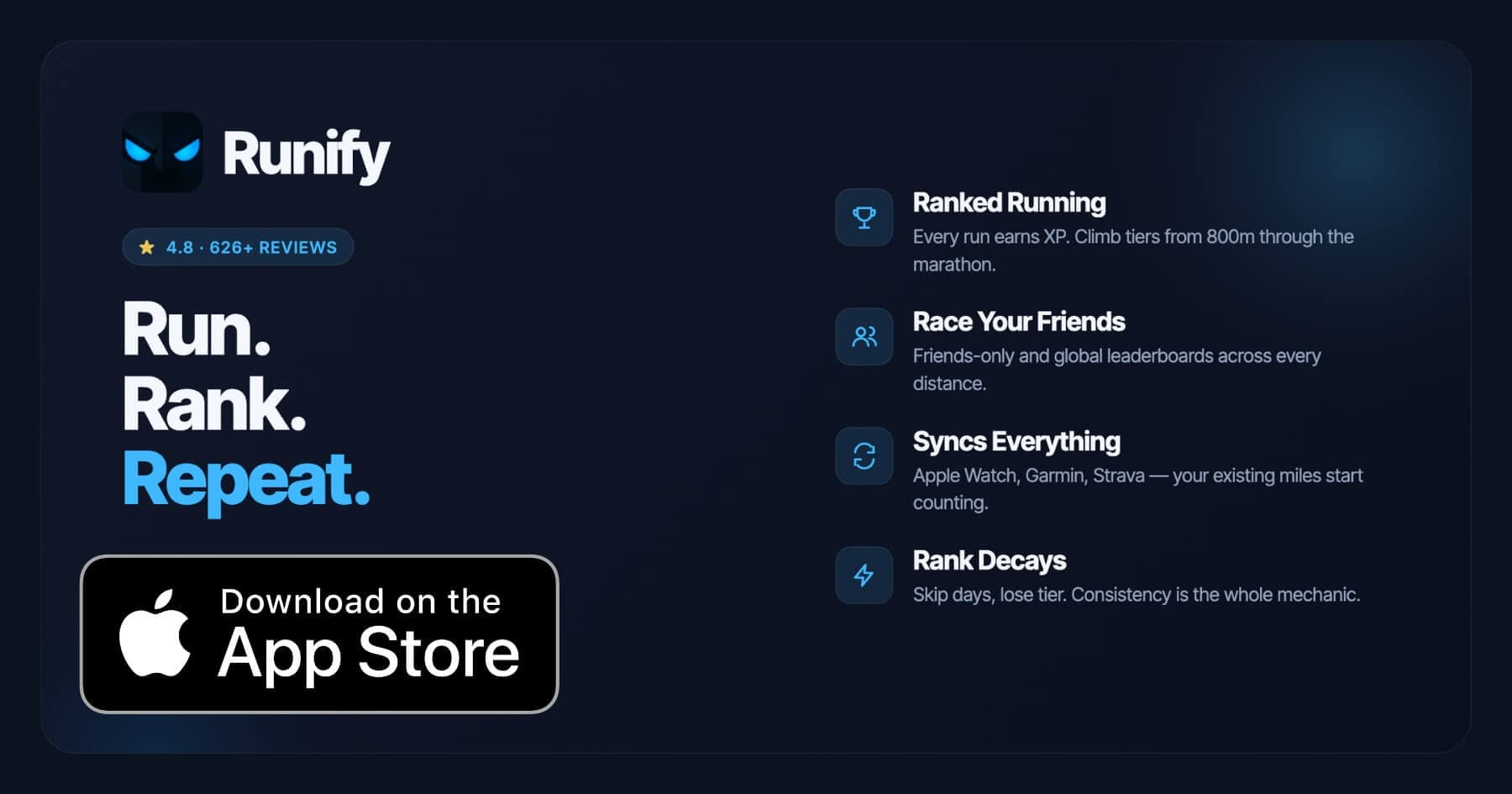
What Runify does offer is a competitive layer on top of your existing tracking. Every run you log (recorded in Runify's own GPS tracker, synced from Apple Watch, or pulled in from Garmin or Strava) earns XP and moves you through a real ranked tier system. Leaderboards run across 800m, 1K, 5K, 10K, half, and marathon distances, both friends-only and global.
For runners who already use an audio-cue app and want their miles to count toward something visible and competitive, Runify pairs well. Run with Nike Run Club or Runkeeper for your audio cues, then sync the result into Runify for rank progression and leaderboard placement.
Runify holds a 4.8-star App Store rating with 626+ reviews, and the community has logged over 100,000 runs. It fits naturally alongside an audio-cue app rather than replacing one. You can read more about how Runify compares across the broader category in our best running apps for Apple Watch 2026 breakdown.
Key Features
- Ranked Progression System: XP from every run, post-run rank-up reveals, and rank decay when you go inactive.
- Friends and Global Leaderboards: 800m, 1K, 5K, 10K, half, and marathon leaderboards plus an overall Runify Rank.
- Apple Watch, Garmin, and Strava Sync: Bulk-import past runs and auto-detect new ones going forward.
- In-App GPS Tracking: Live time, distance, pace, and route with 99.5% GPS routing accuracy. No audio cues.
- Shareable Run Recaps: Stylized post-run templates with one-tap Instagram Stories sharing.
- Streaks and Reminders: Streak visibility, celebrations when you extend a streak, and inactivity nudges.
Pricing
Monthly: $4.99/month (no free trial). Annual: $39.99/year with a 7-day free trial. Pro unlocks distance-specific leaderboards and expanded profile and history views.
Best For
- Runners who use an audio-cue app during runs and want a competitive tracking layer on top.
- Apple Watch, Garmin, or Strava users who want their existing miles to count toward a rank.
- Social runners who want friends-only and global leaderboards across specific race distances.
Limitations
- No audio cues or audio coaching during runs.
- iOS only. No Android version available.
- Distance-specific leaderboards are Pro-gated.
6. Adidas Running - Best Free Audio Option with Story Runs
Adidas Running (formerly Runtastic) includes a Voice Coach feature that announces pace, distance, duration, and calories at set intervals. Free users get basic announcements and access to a rotating selection of Story Runs: guided audio sessions that narrate a route or scenario to keep you engaged. Premium users unlock the full Story Run library and structured training plans.
The free tier is more generous than Strava's: audio cues work without a subscription. Premium costs $9.99/month or $49.99/year. The app is solid for casual runners who want spoken stats without committing to a paid plan.
Key Features
- Voice Coach: Announces pace, distance, time, and calories at configurable intervals.
- Story Runs: Narrated audio sessions that guide you through a run scenario (available free for a rotating selection).
- Training Plans: Structured plans for 5K through marathon (premium).
- Apple Health Sync: Activities sync to HealthKit automatically.
- Apple Watch Support: Tracks runs on-wrist.
Pricing
Free tier includes basic Voice Coach audio and rotating Story Runs. Premium costs $9.99/month or $49.99/year.
Best For
- Runners who want free audio cues plus occasional guided story runs for variety.
- Casual runners who don't need deep customization but want spoken stats during every run.
Limitations
- The full Story Run library requires premium.
- Smaller social community than Strava or Nike Run Club.
- No competitive rank or leaderboard progression.
How to Choose the Best Audio Cue Running App
Audio cue apps differ more than they appear at first glance. Here are the key factors that separate them.
-
Customization depth: Runkeeper lets you pick which stats get announced and how often. Nike Run Club and Strava give you fewer options. If specific stats (current split pace, heart rate, average speed) matter to you, check that the app actually offers them before committing.
-
Free vs. paid audio: Nike Run Club and Adidas Running deliver audio cues on their free tiers. Strava and Runna require a paid subscription for any in-run audio. Runkeeper's free tier covers basic cues; the full set requires Runkeeper Go.
-
Audio style - coached vs. automated: Nike Run Club and Runna deliver coaching-style audio with context and narration. Runkeeper and Strava announce stats automatically with no narrative layer. This is the main divide covered in our best running apps with voice coaching 2026 guide: voice coaching is a guided coach-led run, while audio cues are automated stat announcements. One is not better; it depends on what you need.
-
Apple Watch integration: All six apps here work with Apple Watch to varying degrees. Strava and Nike Run Club have strong standalone watch apps. Runkeeper and Runna track on-wrist too. Runify syncs from HealthKit after the run rather than running natively as a workout app.
-
What happens after the run: Audio cues help during the effort, but post-run data and motivation matter for the long term. Runify's rank system, Strava's social feed, and Runna's plan adaptation each add different post-run value. Pair your audio-cue app with whatever post-run layer keeps you coming back.
Frequently Asked Questions
What is the best running app with audio cues in 2026?
Nike Run Club is the best free option for audio cues in 2026. It offers coach-narrated guided runs with pace prompts, interval signals, and distance announcements at no cost. Runkeeper is the best choice for runners who want full control over which stats get announced and how often. Runna delivers the most contextual audio: live spoken cues tied directly to your pace targets and workout structure. For pure audio cue depth without a coaching layer, Runkeeper Go ($39.99/year) is hard to beat.
Is there a free running app with audio cues?
Yes. Nike Run Club is fully free and includes guided audio runs with real coach narration and pace announcements. Adidas Running also offers a free Voice Coach tier that announces pace, distance, and time at configurable intervals. Runkeeper provides basic audio cues on its free tier with a limited stat selection. Strava and Runna both require paid subscriptions before any audio plays during a run.
Can I sync my Apple Watch or Garmin runs into an audio-cue app?
Most audio-cue apps import from Apple Health, which means runs recorded on Apple Watch sync across automatically. Nike Run Club, Runkeeper, Strava, and Adidas Running all read from HealthKit. Runna connects to Garmin directly for plan sync. Runify syncs from Apple Watch, Garmin, and Strava, but delivers no audio cues during the run itself. If you use a dedicated audio-cue app during a run, that workout will write to Apple Health, and Runify can pull it in from there for rank credit.
What should I look for in a running app with audio cues?
Key things to evaluate: which stats get announced (pace, splits, distance, heart rate), how often announcements trigger (every half mile, every kilometer, custom intervals), whether audio requires a subscription or works free, whether cues are automated stat reads or coach-narrated guidance, and Apple Watch compatibility. If you want spoken stats during every run regardless of cost, start with Nike Run Club. If you need fine-grained control over announcement frequency and stat selection, Runkeeper Go is the most flexible paid option.
Does Runify have audio cues during runs?
No. Runify does not offer audio cues, pace announcements, or audio coaching during runs. It is a tracking and ranking app: runs recorded in Runify or synced from Apple Watch, Garmin, or Strava earn XP and move you through a competitive tier system with friends and global leaderboards. If audio cues matter to you, run with Nike Run Club or Runkeeper for the spoken stats, then sync those runs into Runify for rank and leaderboard credit. The two approaches work well together.
Final Verdict
For most runners, Nike Run Club is the place to start. It is free, the guided audio runs are genuinely well-produced, and the pace and distance announcements work without a subscription. If you want more control over what gets announced and when, Runkeeper Go ($39.99/year) is the most customizable audio-cue app available for iPhone.
Runners following a structured training plan will find Runna's contextual audio cues worth the higher price; those cues respond to your target pace rather than just a timer. Strava's audio is clean but requires a subscription and offers less customization than Runkeeper.
Runify fills a different role entirely. It does not replace an audio-cue app. Run with whichever app speaks your stats during the effort, then bring those miles into Runify to earn XP, climb the leaderboards, and make consistency tangible.
Ready to make your runs count toward something competitive? Download Runify on the App Store and start ranking your miles alongside friends and the global Runify community.

4.8 on the App Store · Built for iOS