Best Google Fit Alternatives 2026
What Are the Best Google Fit Alternatives?
The best Google Fit alternative for iPhone runners who want their miles to count is Runify, the first ranked running app, with leaderboards from 800m through the marathon and a 4.8-star App Store rating. Strava remains the top choice for social feeds and segments. Samsung Health is the natural pick for Galaxy Watch owners. Apple Health is the default for iPhone users who want a native, free hub. Nike Run Club delivers free audio-guided runs and a friendly coach. Google Fit's APIs are scheduled to shut down at the end of 2026, so picking a stable alternative now matters.
At a Glance: Google Fit Alternatives Compared
| App | Best For | Pricing | Standout Feature | Main Limitation |
|---|---|---|---|---|
| Runify | Ranked running across race distances | $4.99/mo or $39.99/yr | Ranked tier system + leaderboards 800m-marathon | iOS only |
| Strava | Social feeds and segment chasing | Free; Premium $11.99/mo or $79.99/yr | Segments and global community | Paywalls many core features |
| Samsung Health | Galaxy Watch and Android users | Free | Deep wearable + sleep + nutrition hub | Best with Samsung hardware |
| Apple Health | iPhone users who want a native hub | Free with iOS | Tracks 100+ health metrics natively | Not a competitive running app |
| Nike Run Club | Free audio-guided runs | Free | 300+ guided runs from Nike coaches | Limited advanced metrics |
Why Look for Google Fit Alternatives?
Google Fit has been the default activity tracker for many Android users for years, but it has clear gaps for serious runners. The app's analytics are simple by design, and the iOS version is even more limited than the Android one. Reddit threads and App Store reviews regularly flag the same pain points.
- API shutdown coming: Google has confirmed the Fit APIs will end service by late 2026, with Health Connect taking over on Android. Many third-party apps are already migrating off Fit.
- Basic running analytics: Google Fit centers on Heart Points, Move Minutes, and steps. There is no segment leaderboard, no tier system, no race-distance ranking.
- iOS is a second-class citizen: On iPhone, Google Fit does not track steps natively. You have to wire Apple Health in for the data to flow at all.
- Tracking accuracy complaints: Users report distance and time mismatches versus dedicated GPS apps, especially in dense urban areas.
If you run regularly and want your miles to feel like progress instead of a row in a step counter, you need an app built for runners. The five below all fix at least one of those gaps.
Alternative #1: Runify - Best for Ranked, Competitive Running
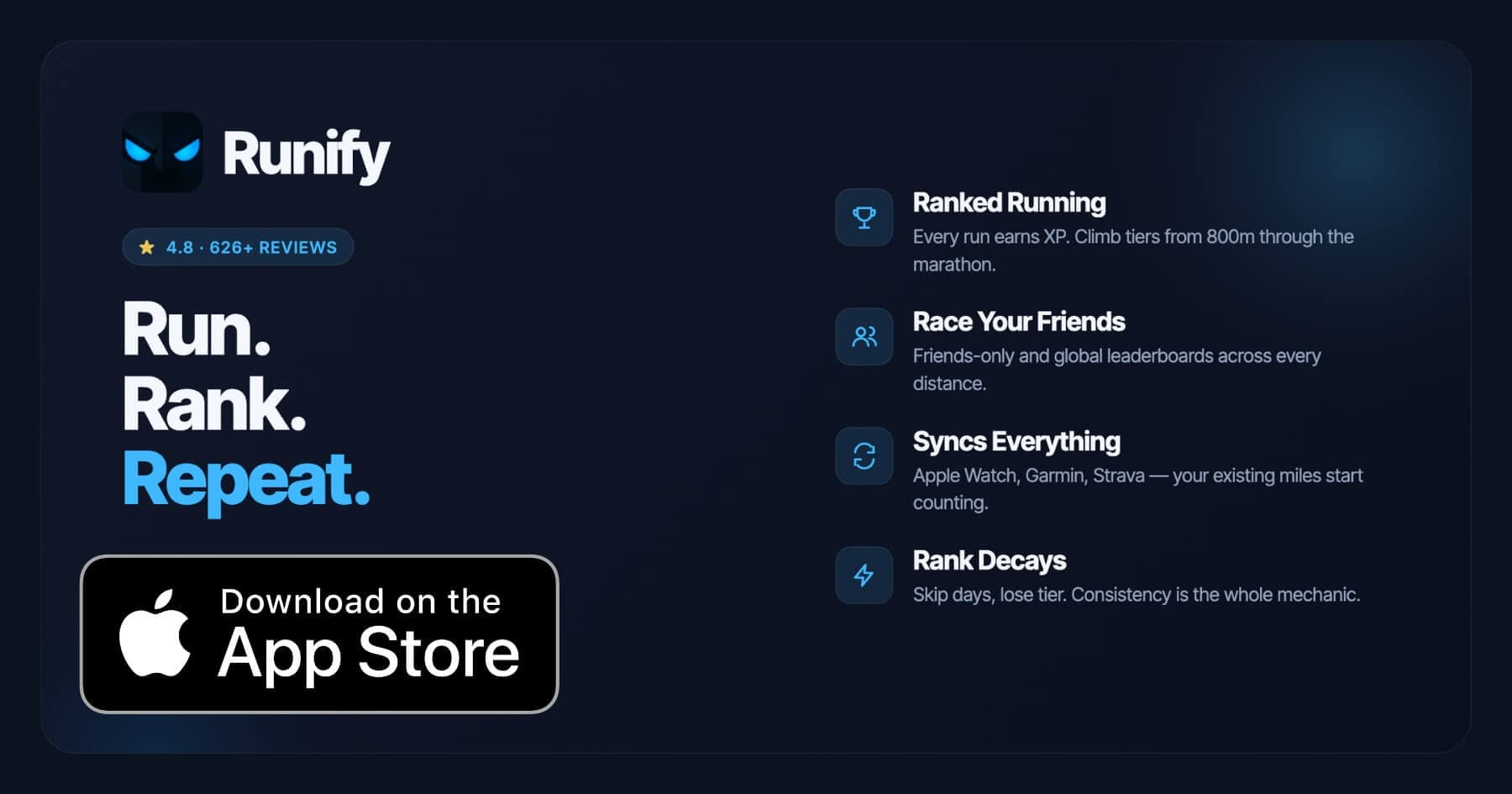
Runify is the first ranked running app, built for iPhone runners who want every mile to count toward something visible. Every run you log or sync from Apple Watch, Garmin, or Strava earns XP, moves you up a competitive tier system, and puts you on friends-only or global leaderboards across 800m, 1K, 5K, 10K, half marathon, and marathon distances. The app holds 4.8 stars on the App Store with 626+ reviews worldwide.
Runify's pitch versus Google Fit is simple. Google Fit measures activity. Runify turns activity into a competition you can win, lose, and rank up in. If you used the Google Fit iOS app for daily step counting and now want a real running tracker that pulls in your existing devices and gives you a reason to run tomorrow, Runify is the closest fit on the App Store.
Why Choose Runify Over Google Fit?
- A real ranked tier system: Google Fit has Heart Points. Runify has a full overall rank plus distance-specific ranks, post-run rank-up reveals, and rank decay if you go inactive. Consistency becomes visible.
- Leaderboards built for race distances: Switch between overall Runify Rank and distance-specific ladders from 800m through the marathon, on friends-only or global boards. Google Fit has no equivalent.
- Native imports keep your gear: Runify pulls runs from HealthKit/Apple Watch, Garmin, and Strava, with bulk import for past runs. You don't restart your data history.
- Sharing built in: One-tap recap cards for Instagram Stories, with overlays you can customize before posting.
Key Features
- Ranked Progression System: XP from every run, post-run rank-up reveals, and a decay mechanic that turns consistency into a visible incentive. It's a real tier you can lose, not a pile of badges.
- Friends & Global Leaderboards: Compete on friends-only or global ladders, and switch between overall Runify Rank and distance-specific ladders from 800m through the marathon.
- Apple Watch, Garmin & Strava Sync: Connect HealthKit/Apple Watch, Garmin, or Strava. Bulk-import past runs, then auto-detect new ones so your existing tracker keeps working.
- In-App GPS Tracking: Live GPS with time, distance, pace, and route, plus a post-run summary with splits, photos, and route map.
- Shareable Run Recaps: Stylized recap templates that auto-fill with your time, distance, pace, and route, with one-tap Instagram Stories sharing.
- Streaks & Smart Reminders: Current-streak visibility, streak celebrations, and motivational push notifications for inactivity and post-run follow-up.
Pricing
Monthly: $4.99/month (no free trial). Annual: $39.99/year (includes a 7-day free trial, then auto-renews). Pro unlocks distance-specific leaderboards and expanded profile/history views (weekly, monthly, yearly, all-time stats).
When to Choose Runify
- You want a visible, competitive reason to keep running (XP, rank, rank decay)
- You already track on Apple Watch, Garmin, or Strava and want those miles to count toward something
- You care about distance-specific performance from 800m through marathon on friends and global leaderboards
- You like sharing stylized run recaps to Instagram Stories
- You used Google Fit on iPhone and want a real running app instead of a step counter
When Not to Choose Runify
- You're on Android. Runify is iOS only today. If you came from Google Fit on a Pixel, Galaxy, or any other Android phone, look at Strava, Samsung Health, or the new Health Connect ecosystem instead. We are honest about this. The rest of this post still applies if you have an iPhone in the family or are switching platforms.
- You want structured training plans, pace coaching during a run, or audio-coached workouts. Runify focuses on tracking, ranking, and social competition.
- You want route discovery or race signup features. Runify doesn't provide these.
Alternative #2: Strava - Best for Social Running and Segments
Strava is the social network of running and cycling, with global segments, club challenges, and a feed that shows what your friends ran today. It runs on both iOS and Android, which makes it the most direct cross-platform replacement for Google Fit if community is what you care about.
Key Features
- Activity feed, kudos, and comments
- Segments and segment leaderboards on routes you actually run
- Club challenges over a few days, a week, or a month
- Imports from Apple Watch, Garmin, Samsung Health, and most major wearables
Pricing
Free tier with basic tracking. Strava Premium is $11.99/month or $79.99/year. A Family Plan covers up to four members for $139.99/year. Many features that used to be free, including some leaderboard views and route planning, now sit behind the paywall.
When to Choose Strava
You want a public feed, kudos, and segment hunting on cycling and running routes. You ride and run and want one app for both. Our Strava-specific roundup goes deeper on tradeoffs.
When Not to Choose Strava
You want a tier-based ranked progression instead of a feed. You don't want to hand over more features each year as the paywall expands.
Alternative #3: Samsung Health - Best for Galaxy Watch and Android Users
Samsung Health is the most direct Google Fit replacement on Android, and it shines if you wear a Galaxy Watch. It tracks over 100 exercise types, sleep, nutrition, stress, and women's health, with a richer dashboard than Google Fit and tighter wearable integration.
Key Features
- Automatic step, run, and walk detection
- Built-in stretching, jogging, and endurance programs
- Galaxy Watch heart rate, SpO2, sleep, and body composition data
- Optional Strava sync for activity sharing
Pricing
Free. No premium tier required for the core experience.
When to Choose Samsung Health
You wear a Galaxy Watch or use a Samsung phone and want a native, free hub that picks up where Google Fit leaves off. You want broader health metrics, not just running.
When Not to Choose Samsung Health
You're on iPhone with no Samsung wearable. You want race-distance leaderboards or a competitive ranked tier. You want a feature parity with Apple Health on iOS.
Alternative #4: Apple Health - Best Native Option for iPhone Users
Apple Health is the default health hub on every iPhone, and it's the cleanest landing spot for anyone who used Google Fit on iOS. It tracks more than 100 metrics including steps, distance, heart rate, sleep, mobility, and workout history, with first-party Apple Watch integration.
Key Features
- Native iPhone integration with no extra account
- Apple Watch sync for workouts, heart rate, and VO2 estimates
- 100+ tracked health categories from steps to mental wellbeing
- Acts as a hub other apps (including Runify) can read from
Pricing
Free. Comes built into iOS.
When to Choose Apple Health
You want a free, private, native dashboard for daily health metrics on iPhone. You already have an Apple Watch and want everything in one place.
When Not to Choose Apple Health
You want a running-specific app with leaderboards, rank, or a competitive layer. Apple Health is a reservoir of data, not a running app. Pair it with Runify or Strava for that.
Alternative #5: Nike Run Club - Best Free App for Audio-Guided Runs
Nike Run Club has stayed free for over a decade and is one of the easiest Google Fit replacements for runners who want guided workouts. The app pairs run tracking with around 300 audio-guided runs from Nike coaches and athletes, plus six structured training plans for distances up to the marathon.
Key Features
- Free GPS tracking for distance, pace, route, and splits
- Around 300 audio-guided runs of varied length and intensity
- Community challenges with friends, family, or coworkers
- Apple Watch, Spotify, and Apple Music integration
Pricing
Free. There is no paid tier.
When to Choose Nike Run Club
You want free audio-guided runs and a friendly coach voice in your ear. You like Nike's brand and community challenges. You don't want to pay anything. Our full Nike Run Club alternatives breakdown covers when it isn't enough.
When Not to Choose Nike Run Club
You want detailed advanced analytics, a tier-based ranked system, or competitive leaderboards. NRC is friendly, not competitive.
How to Choose the Right Google Fit Alternative
Picking a replacement comes down to platform, motivation style, and how serious you are about running specifically. Use this as a quick filter.
- Pick by platform first. If you're on Android, Samsung Health (especially with a Galaxy Watch) or Strava are the cleanest swaps. If you're on iPhone, Apple Health is the native hub and Runify is the running-specific upgrade. Mixing platforms across a household is fine, but the app should match the phone.
- Decide what motivates you. Step counts and Heart Points clearly didn't keep you logging in. Do you want a feed and kudos (Strava), a coach voice (Nike Run Club), or a real rank you can climb and lose (Runify)? Match the app to the dopamine loop you'll actually open.
- Check race distance focus. If you train for a 5K, 10K, half, or marathon, you want distance-specific tracking. Runify ranks you across each race distance separately. Strava and Nike Run Club focus on overall mileage and segments.
- Audit your existing devices. The fastest switch is the one that imports your gear. Runify imports from Apple Watch, Garmin, and Strava. Strava itself imports from almost everything. Don't pick an app that orphans your wearable.
- Watch for paywalls. Google Fit was free, so any paid alternative needs to earn the cost. Compare what's free, what's behind the paywall, and whether a free trial exists. Runify includes a 7-day free trial on the annual plan; Strava and Samsung Health have free tiers.
Frequently Asked Questions
Is Google Fit still worth using in 2026?
Google Fit still works for casual step tracking, but its days are numbered. Google has confirmed the Fit APIs will end service by late 2026, and on Android the company is steering everyone toward Health Connect. The iOS version is already limited and does not track steps natively without an Apple Health connection. If you only use Fit for daily step counts, it's fine for now. If you want a stable home for your running data going forward, switch to a maintained app such as Runify, Strava, Samsung Health, or Apple Health before the shutdown forces you to.
What is the best free alternative to Google Fit?
For iPhone runners, Apple Health is the best free Google Fit replacement, since it ships with iOS and tracks 100+ metrics natively. For Android users, Samsung Health is free, and Strava has a free tier across both platforms. Nike Run Club is fully free and adds audio-guided runs that Google Fit never had. If you want a competitive layer, Runify offers a 7-day free trial on the annual plan ($39.99/year) so you can test the ranked system before paying.
Can I use Google Fit and Runify together?
Not directly, because Runify is iOS only and Google Fit's iOS app is read-only for steps. The clean path is to send your Google Fit data into Apple Health on your iPhone, then connect Runify to Apple Health/HealthKit. Runify will pick up the runs already synced into the Health app. Runify also imports natively from Apple Watch, Garmin, and Strava, which covers most of the wearables Google Fit users tend to own.
Which Google Fit alternative is best for ranked, competitive running?
Runify is the only Google Fit alternative built specifically as a ranked running app. Every run earns XP, moves you through a competitive tier system, and ranks you on friends-only or global leaderboards across 800m, 1K, 5K, 10K, half marathon, and marathon distances. Rank decays when you go inactive, which makes consistency visible in a way Google Fit's Heart Points never did. If a feed and kudos are enough, Strava works. If you want a real climbable rank, Runify is the pick. Our iPhone leaderboard roundup explains the gamification angle in more detail.
How long does it take to switch from Google Fit?
On iPhone, switching takes about 10 minutes. Open Apple Health, enable the Google Fit to Apple Health sync if you used both, then install Runify and grant HealthKit permission. Runify bulk-imports your past runs, then auto-detects new ones from Apple Watch, Garmin, or Strava. You don't lose your run history. On Android, the switch involves more steps because Health Connect is the bridge replacing Google Fit, but Strava and Samsung Health both pull from Health Connect cleanly.
Final Verdict
Google Fit served as a friendly default for years, but with the API shutdown coming in late 2026 and analytics that never matched what runners actually want, it's time to move on. The right replacement depends on your phone and your motivation style.
If you're on Android and want a free swap with broader health metrics, Samsung Health is the natural pick. If you want a public social feed and segment hunting across both platforms, Strava is still the standard. If you're on iPhone and just want a clean native hub, Apple Health is built in and free.
If you're on iPhone and want running to actually feel like progress, with a ranked tier system, leaderboards across real race distances, and your existing Apple Watch, Garmin, or Strava data already counting toward something, Runify is the alternative built for that. Try it on the 7-day free trial and see how the first rank-up reveal lands.
Ready to make your runs count? Download Runify on the App Store and turn every mile into rank.

4.8 on the App Store · Built for iOS