Best Running Apps for Withings ScanWatch 2026
Best Running Apps for Withings ScanWatch 2026
You bought the Withings ScanWatch for its hybrid design and month-long battery life. Now your runs sit in Health Mate and nothing happens next. No leaderboards, no friends racing you on the 5K, no reason to lace up again tomorrow. The watch tracks everything. The question is what you do with that data.
The ScanWatch syncs workouts directly to iPhone through Health Mate, and from there, the right app turns those runs into something real. We compared the top options so you can pick the one that fits your goals.
Quick answer: The best running apps for Withings ScanWatch in 2026 are: 1) Withings Health Mate for seamless native tracking on your ScanWatch, 2) Strava for social running and segment competition through direct Withings sync, 3) Apple Health for a free central hub that feeds every other app on this list, 4) MapMyRun for GPS route mapping and gear tracking, and 5) Runify for competitive XP ranking and distance-specific leaderboards via Apple Health import. Health Mate is the non-negotiable foundation - every other app builds on top of it.
1. Withings Health Mate - Best Native App for ScanWatch
Withings Health Mate is the required companion app for every ScanWatch, and for running it is far more capable than most owners realize. The app manages workout tracking directly from your ScanWatch, captures GPS from your iPhone during outdoor runs, and displays heart rate, pace, distance, and splits after each session. It also syncs everything to Apple Health automatically, which is the gateway to every other app on this list.
Health Mate is the right starting point for any ScanWatch owner. If its built-in features cover your needs - clean run history, heart rate data, and sleep tracking in one place - you may not need anything else. For runners who want social competition, coaching, or ranked progression, it becomes the data foundation rather than the endpoint.
Key Features
- Native ScanWatch Workout Sync: All GPS workouts recorded on your ScanWatch flow directly into Health Mate with pace, heart rate, and route data.
- Connected GPS Tracking: When running with your iPhone, Health Mate uses phone GPS for routing and maps the full course.
- Apple Health Integration: Health Mate pushes all run data to Apple Health automatically, making it compatible with virtually every third-party fitness app.
- Strava Sync: Link your Withings account to Strava in Health Mate settings, and future GPS workouts push to Strava automatically.
- Health Dashboard: Heart rate, SpO2, sleep, weight, and activity sit in a single clean dashboard. Useful if you use other Withings devices too.
- Withings+ Premium: Optional subscription with daily missions, a library of health content, and expanded health coaching features.
Pricing
Health Mate is free. Withings+ premium costs approximately $9.99/month or $99.99/year and adds wellness content and daily health missions, though the core run tracking and sync features are free.
Best For
- Any ScanWatch owner setting up their watch for the first time
- Runners who want health and running data in one app
- Anyone who needs a clean bridge to Apple Health, Strava, or other third-party apps
Limitations
- No social running features or leaderboards
- Training plans and audio coaching are not available
- Route discovery is limited compared to dedicated running apps
2. Strava - Best for Social Running and Segments
Strava connects directly to your Withings account through the Health Mate partner apps settings. Once linked, every GPS workout you complete on your ScanWatch pushes automatically to Strava with full route data. With 180 million+ registered users, Strava gives you the largest social running network available, plus route-specific segment leaderboards (KOM/QOM) that turn familiar roads into competitive courses.
If you already run regular routes or want to race your friends' times on specific stretches, Strava adds a competitive layer that Health Mate does not provide. See our best running apps with Strava sync 2026 guide for a deeper look at how the integration works across different watches.
Key Features
- Direct Withings Sync: Withings connects to Strava through Health Mate partner apps - no manual exports needed.
- Segment Leaderboards: KOM/QOM and age-group rankings on user-created route segments for streets, trails, and climbs.
- Social Feed and Kudos: Follow friends, give kudos, and comment on runs. The largest running community online.
- Route Builder: Create runs on a map with elevation previews, or explore popular routes in your city.
- Training Analysis: Fitness & Freshness charts, relative effort, heart rate zone breakdowns (subscription).
- 30-Day Free Trial: New users get a full trial of premium features before committing to a paid plan.
Pricing
Free tier covers basic tracking, social feed, and three segments per activity. Strava subscription is $11.99/month or $79.99/year and unlocks unlimited segments, training analysis, route planning tools, and a 30-day free trial.
Best For
- Runners who want a large social community and route-specific competition
- ScanWatch owners who already have friends on Strava
Limitations
- No distance-based ranking across all your runs (segments are route-specific, not distance-based)
- Subscription pricing increased to $79.99/year in recent updates, which not everyone finds worth it
- The Withings-to-Strava sync only covers future GPS activities; past activities do not retroactively transfer
3. Apple Health - Best Free Data Hub for ScanWatch
Apple Health is not a running app in the traditional sense - it has no social features, leaderboards, or coaching. What it does is act as the central data hub for your entire iOS health ecosystem. Health Mate writes every ScanWatch workout to Apple Health automatically, and from there, any app that reads from HealthKit can access your run history. That includes Runify, Runkeeper, MapMyRun, and dozens of others.
For ScanWatch owners on a budget, Apple Health provides a free, privacy-focused run log with basic trends, workout summaries, and route maps. It is also the most reliable sync bridge between your ScanWatch and any third-party app on this list.
Key Features
- HealthKit as a Data Bridge: Any app that reads from HealthKit can access your Withings ScanWatch runs once Health Mate syncs them.
- Built-In Workout Summaries: View distance, pace, heart rate, elevation, and route map for each activity.
- Health Trends: Weekly and monthly trends for steps, active energy, heart rate, and other ScanWatch metrics.
- App Ecosystem Access: Connects to hundreds of iOS apps including all the apps on this list, making data portable.
- Privacy Controls: Granular permissions control exactly what each app can read from your health data.
Pricing
Completely free, included with iOS.
Best For
- Any ScanWatch owner who wants their data accessible to multiple apps
- Runners who prefer not to share data with a third-party server
- Budget-focused runners who want a clean run log without subscriptions
Limitations
- No social features, friends, leaderboards, or competitive mechanics
- No coaching or training plans
- Route maps and run analysis are basic compared to dedicated running apps
4. MapMyRun - Best for Route Mapping and Gear Tracking
MapMyRun gives Withings ScanWatch owners a dedicated GPS running experience with one of the strongest route databases available. The app receives ScanWatch data via Apple Health, meaning your runs log automatically without any extra steps. On top of basic tracking, MapMyRun adds route creation, user-contributed routes in your city, and shoe tracking (it estimates when your running shoes need replacing based on logged mileage).
For runners who want to explore new routes or keep detailed gear logs, MapMyRun fills a gap that Health Mate and Apple Health leave open.
Key Features
- Route Database: Access millions of user-created routes in your area, with elevation previews and surface info.
- Apple Health Import: Receives ScanWatch workouts through HealthKit - no separate Withings connection needed.
- Shoe Mileage Tracking: Assign runs to specific shoes and get alerts when a pair approaches its wear limit.
- Audio Coaching: Real-time pace and distance updates during runs via headphones.
- Training Plans: Structured plans for 5K, 10K, and half marathon (MVP subscription).
- Live Tracking: Share your real-time location with contacts while running.
Pricing
Free tier covers basic GPS tracking and route browsing. MVP subscription is $5.99/month or $29.99/year and adds training plans, audio coaching, heart rate analysis, and live tracking.
Best For
- Runners who want to discover or plan new routes
- Gear-focused runners who want shoe mileage tracking
- Those looking for affordable training plan access
Limitations
- Interface feels dated compared to newer apps
- GPS reliability has been inconsistent in recent user reports
- Apple Health sync is the connection path for ScanWatch, not a direct Withings integration
5. Runify - Best for Competitive Rankings via ScanWatch
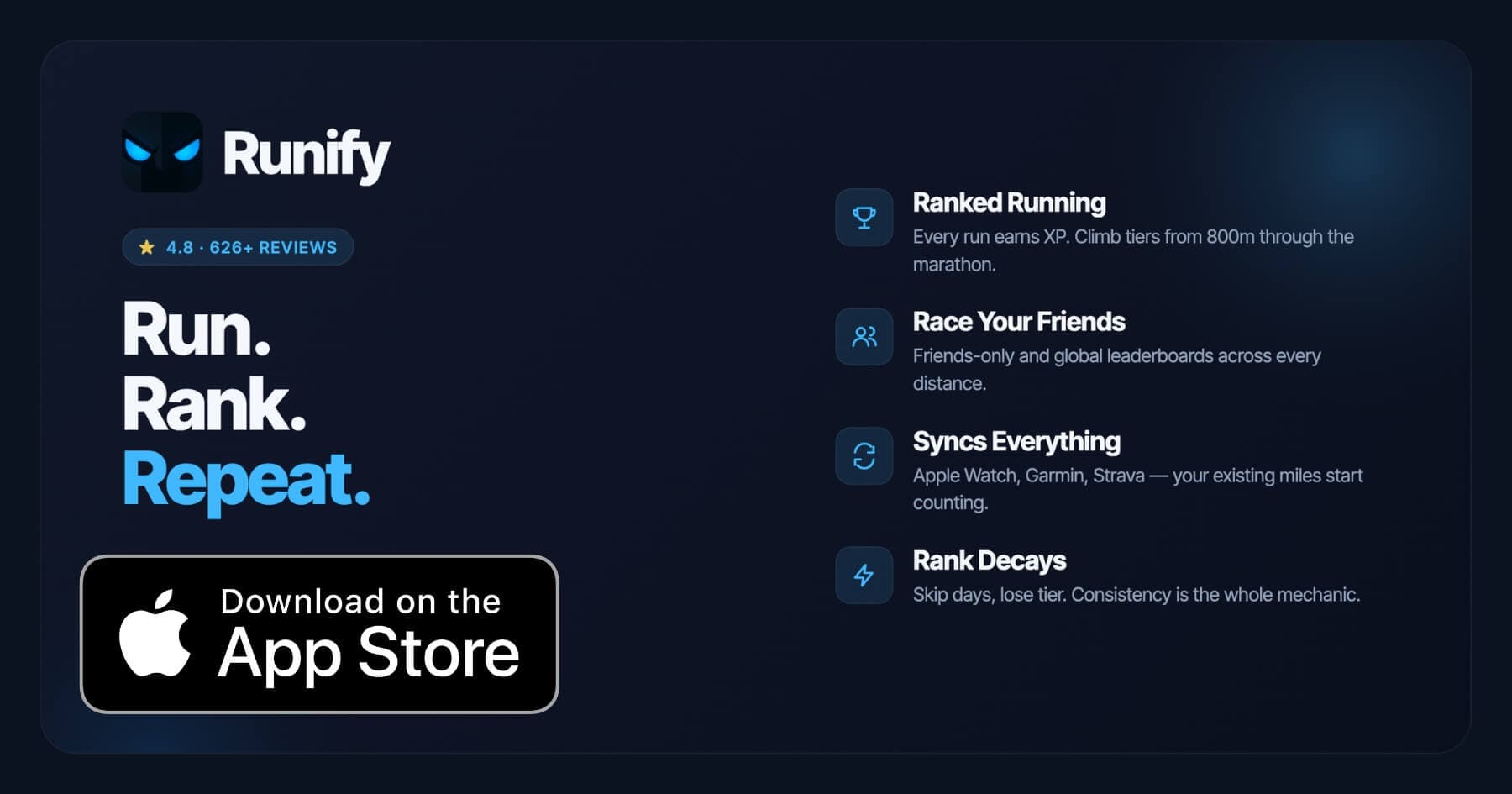
Runify is the first ranked running app, and it works with your Withings ScanWatch through Apple Health. Once Health Mate syncs your ScanWatch workouts to HealthKit, Runify detects new runs automatically and credits XP toward your rank. The community has logged 100,000+ runs and 500,000+ miles, and every run places you on friends-only and global leaderboards across actual race distances - 800m, 1K, 5K, 10K, half marathon, and marathon. The app holds a 4.8-star App Store rating with 626+ reviews.
If you are already tracking your ScanWatch runs in Health Mate, Runify adds the missing competitive layer: visible rank, post-run rank-up reveals, and rank decay when you go inactive. For ScanWatch owners who want motivation beyond a run log, this is the direct complement. Compared to other iPhone running setups, the broader context is covered in our best running apps for iPhone 2026 breakdown.
Why Runify Works with ScanWatch
Your ScanWatch records the run. Health Mate syncs it to Apple Health. Runify reads from HealthKit and counts the run toward your rank automatically. You do not need to change your recording workflow at all.
The rank decay mechanic is particularly useful for ScanWatch owners who can get complacent with month-long battery life - when inactivity costs you rank, the watch on your wrist becomes a daily reminder rather than a passive logger.
Key Features
- Ranked Progression System: XP from every run feeds an overall Runify Rank plus distance-specific rank achievements. Post-run rank-up reveals turn a normal run into a visible milestone, and rank decay after inactivity keeps you accountable.
- Friends & Global Leaderboards: Race your friend group or the world across 800m, 1K, 5K, 10K, half marathon, and marathon. Switch between overall rank and distance-specific ladders.
- Apple Health / HealthKit Import: ScanWatch runs sync to Runify through HealthKit automatically. Bulk-import your full history to establish your starting rank.
- In-App GPS Tracking: Live GPS with time, distance, pace, and route if you prefer tracking runs directly in Runify. 99.5% GPS routing accuracy.
- Shareable Run Recaps: Stylized templates with one-tap Instagram Stories sharing. Rank cards are shareable too.
- Streaks and Smart Reminders: Streak visibility, celebrations when a run extends your streak, and motivational push notifications for inactivity.
Pricing
Monthly: $4.99/month (no free trial). Annual: $39.99/year with a 7-day free trial. Pro unlocks distance-specific leaderboards and expanded profile/history views (weekly, monthly, yearly, all-time stats).
Best For
- ScanWatch owners who want a competitive reason to run consistently
- Runners who want distance-specific leaderboards across the 800m through marathon range
- Anyone whose run data already flows through Apple Health
Limitations
- iOS only - Android is not available
- Not a coached training-plans app - no structured workouts, pace coaching during a run, or audio coaching
- Runify reads from Apple Health and Strava; there is no direct Withings integration today
How to Choose the Best Running App for ScanWatch
Every ScanWatch sends data through Health Mate to Apple Health. That shared starting point narrows the question to what you want to do with those runs after they sync.
-
Start with your goal, not the app: A social community (Strava), competitive rank (Runify), route planning (MapMyRun), and raw health data (Apple Health) are genuinely different goals. Pick one primary goal and choose the app built around it.
-
Check the connection path: Health Mate connects directly to Strava through partner app settings. Every other app on this list receives ScanWatch data through Apple Health. Both paths are reliable - but the Strava direct connection is the only one that preserves the GPS route map out of the box.
-
Think about what keeps you consistent: If visible progress is what makes you run tomorrow, a rank system like Runify or a segment leaderboard like Strava matters more than training plan features. If structure is what you need, look at MapMyRun's training plans or Runkeeper's adaptive plans.
-
Evaluate the free tiers honestly: Health Mate and Apple Health are free with no limits. Strava's free tier is usable for basic social and three segments. MapMyRun's free tier covers GPS and route browsing. Runify requires a subscription for leaderboards but offers a 7-day free trial on the annual plan. Only pay for features you actually open.
-
Consider running multiple apps: Many ScanWatch owners use Health Mate for device management, Strava for social, and one ranked app for competition. The Apple Health bridge makes this seamless - you do not have to choose just one.
Frequently Asked Questions
What is the best running app for Withings ScanWatch in 2026?
Withings Health Mate is the essential starting point - every ScanWatch needs it for workout sync, GPS recording, and the Apple Health bridge. From there, the best secondary app depends on what you want. Strava adds social running and segment competition through a direct Withings integration. Runify adds competitive XP ranking and distance-specific leaderboards across 800m to marathon via Apple Health. MapMyRun adds route discovery and gear tracking. Most ScanWatch runners end up with Health Mate plus one or two secondary apps rather than a single all-in-one solution.
Is there a free running app that works with Withings ScanWatch?
Yes - two, actually. Apple Health is completely free and receives all ScanWatch data through Health Mate automatically, giving you a full run history with pace, heart rate, and route maps at no cost. Strava has a usable free tier with basic social features and three segment comparisons per activity. Health Mate itself is free for core run tracking. Runify and MapMyRun's premium features require subscriptions, though Runify offers a 7-day free trial on the $39.99 annual plan so you can test ranked competition before committing.
Can I use Strava with my Withings ScanWatch?
Yes, directly. Open Health Mate on your iPhone, go to partner apps, select Strava, and link your account. After that, every GPS workout recorded on your ScanWatch pushes to Strava automatically. The sync covers future activities only - past activities logged before you link the accounts do not retroactively transfer. Only manually recorded GPS activities transfer; auto-detected workouts without GPS routes may not appear in Strava. Once set up, the connection is reliable and requires no manual steps per run.
What features should I look for in a running app for Withings ScanWatch?
Look for: 1) Apple Health or direct Withings compatibility so your ScanWatch data actually reaches the app, 2) the social or competitive features that match your motivation style (leaderboards, kudos, segments, or friends), 3) training plan support if you have a specific race goal, 4) pricing that reflects how often you open the app, and 5) iOS reliability - the ScanWatch is iPhone-first, so prioritize apps with strong iOS track records. Our best running apps for Apple Watch 2026 post covers related criteria that apply to any iPhone-connected watch.
Does Withings ScanWatch work with Runify?
Runify does not connect directly to the Withings ScanWatch today. The workflow is: your ScanWatch records a run, Health Mate syncs it to Apple Health, and Runify reads from HealthKit automatically. Once you set up the HealthKit connection in Runify, new runs from your ScanWatch appear in Runify within minutes and earn XP toward your rank. You can also bulk-import your full run history to establish your starting rank from day one. The indirect path works reliably - most ScanWatch users on Runify describe it as hands-off after the initial setup.
Final Verdict
Withings Health Mate is the foundation no ScanWatch owner can skip. It manages your watch, records your runs, and acts as the bridge to every other app on this list. The question is not whether to use Health Mate - it is what to layer on top.
Strava is the strongest addition for runners who care about community. The direct Withings integration is clean, the segment leaderboards add genuine competition on familiar routes, and the social feed keeps running social without a separate platform. For a deeper dive into how Strava sync works across devices, the best running apps with Strava sync 2026 guide walks through the specifics.
If visible rank and distance-specific competition are what keep you consistent, Runify is the clearest complement to your ScanWatch setup. Your runs flow in through Apple Health automatically, XP stacks up after each session, and rank decay keeps even month-long-battery-life watches from becoming expensive step counters. The 7-day free trial on the annual plan is the lowest-friction way to test whether competitive ranking actually changes your behavior.
Ready to make your ScanWatch runs count? Try Runify free for 7 days and see where you rank at your distance.

4.8 on the App Store · Built for iOS