Best Running Apps for Track Running 2026
Best Running Apps for Track Running 2026
You show up at the track, lace up, and queue a 6x800m session. Your phone's GPS logs something that looks like a figure eight. By lap four it says you've run 3.4 miles when you've barely covered two. Standard GPS was never built for the tight corners of a 400m oval, and it shows.
That problem is finally solved - but only by apps paired with watches that carry a dedicated track mode. The difference between a good session and a garbled one often comes down to which app you use. We compared the top options so you can stop second-guessing your splits.
The best apps for track running on iOS in 2026 are: 1) Garmin Connect for best-in-class Track Run mode and interval building, 2) Apple Workout for automatic track detection on newer Apple Watches, 3) Coros for structured interval workouts with lane selection, 4) Runify for competitive leaderboards on track-friendly distances like 1K and 5K, and 5) Stryd for running-power metrics that work regardless of GPS signal.
1. Garmin Connect - Best Overall for Track Running
Garmin Connect pairs with Garmin's dedicated Track Run activity profile to give you the most accurate lap-by-lap data available on a consumer running watch. The Track Run mode locks onto your 400m oval after roughly two calibration laps, then measures each subsequent lap algorithmically rather than relying on raw GPS. In real-world testing, an 18x400m session came in just 20m over the expected 7,200m - an error of 0.28%. If you run intervals at the track more than once a month, there is no better starting point.
Why Garmin Connect Stands Out
Garmin's Track Run profile is a dedicated activity type, not a toggle inside a generic run. Your watch identifies the oval, locks the lane, and calculates each split independently. You get precise 400m lap times whether you are running 200s, 800s, or mile repeats.
Interval workout building inside the Garmin Connect iOS app is thorough. You can set warm-up, any number of work intervals by time or distance, rest periods, cool-down, and repeat counts - then push that workout to your watch before you leave the house. The splits view in Garmin Connect after your run breaks every rep and rest out individually.
The Garmin Connect app also stores your full history, compares current fitness against past track sessions, and syncs automatically. It pulls data off your watch the moment you finish, so everything is ready on your iPhone before you even leave the track. If you want a deeper look at the ecosystem, our Garmin watches comparison for runners covers how these pieces fit together.
Key Features
- Track Run Activity Profile: Dedicated mode that calibrates to your 400m oval and measures distance algorithmically - no GPS drift on tight curves.
- Interval Workout Builder: Create multi-step workouts on iOS and push them directly to your Garmin watch, complete with distance or time targets per rep.
- Automatic Lap Splits: Every 400m lap is logged with split time, pace, and heart rate. Rest laps are tracked separately.
- Post-Run Analysis: Garmin Connect's iOS app shows a full split table, heart rate zones, and training load after each session.
- Training Load and Readiness: Tracks cumulative stress and recovery across your week, which matters when you are stacking hard track sessions.
- Garmin Coach and Workout Library: Free structured plans and workouts are available to download through the app.
Pricing
Garmin Connect is free. A Garmin watch with Track Run support is required - compatible models include the Forerunner 255, 265, 955, 965, and the fenix 7 series and newer. Watch prices start around $349.
Best For
- Runners who already own or plan to buy a Garmin watch
- Athletes who build structured interval sessions in advance
- Anyone who wants the most accurate lap splits on a 400m oval
Limitations
- Requires a compatible Garmin watch to use Track Run mode. The iOS app alone does not track runs.
- Track Run mode is optimized for standard 400m ovals. Non-standard tracks may take longer to calibrate.
- Interface is data-dense and can feel overwhelming to newer runners.
2. Apple Workout - Best for Apple Watch Users
Apple Workout (accessed through the Workout app on Apple Watch and synced to the iPhone Fitness app) added automatic track detection starting with watchOS 9. Newer Apple Watches use a database of known standard tracks to identify the oval the moment you arrive, then prompt you to select your lane. No warm-up laps needed. Lap alerts fire exactly at the 400m mark with your split time, pace, and heart rate.
Why Apple Workout Stands Out
The no-calibration approach is the biggest practical advantage. Because Apple pre-maps known tracks, your watch is ready from the first step. That matters when you are running a timed 400m or a short fartlek session where every early lap counts.
Apple Watch pairs lap data into the iPhone Fitness app automatically, giving you a clean split table without a separate app or subscription. For runners who are already embedded in the Apple ecosystem and want something that just works, this is the most friction-free option.
For a broader look at what newer Apple Watches can do for your running, the Apple Watch running apps guide covers the full picture.
Key Features
- Automatic Track Detection: Apple Maps database triggers lane selection the moment you arrive at a known 400m track - no calibration laps required.
- Lane Selection: Choose your lane before the workout starts, and the app adjusts distance calculations accordingly.
- Lap Alerts: A tap on the wrist and a split overlay at every 400m, showing time, pace, and heart rate.
- Fitness App Sync: All data syncs instantly to iPhone after the workout. Split tables are clean and readable.
- Heart Rate Zones and Metrics: Displays running power, stride length, and ground contact time on compatible Apple Watch models.
Pricing
Free. Requires an Apple Watch Series 6 or later running watchOS 9+. Track detection is available in the US, UK, Australia, Canada, Germany, Italy, and select other countries.
Best For
- iPhone users who already own a recent Apple Watch
- Runners who want automatic setup with no calibration
- Casual to intermediate track runners who are not building complex multi-step interval sessions
Limitations
- Track detection only works on standard IAAF-specification 400m tracks in supported countries.
- Interval workout programming is limited - you cannot build multi-step rep and rest sequences as easily as on Garmin.
- No standalone app for iPhone. Workout data lives in Apple Health/Fitness, which limits cross-platform history.
3. Coros - Best for Structured Interval Sessions
Coros watches carry their own Track Run activity mode with lane selection, and the free Coros iOS app handles structured workout creation, syncing, and post-run review. The mode uses the first lap to identify the oval, then switches to algorithmic measurement from lap two onward. During a Track Run, you can switch lanes mid-session and the watch adjusts distance in real time.
Key Features
- Track Run Mode with Lane Selection: Detects the oval on lap one, then measures algorithmically. Supports non-standard track lengths from 200m to 400m.
- Interval Workout Builder: Set work intervals by time or distance, rest intervals, repeats, warm-up, and cool-down from the iOS app. Push to watch before you run.
- Mid-Session Lane Changes: Switch lanes during a workout and have the distance recalculate automatically.
- Updated Lap Table: Recent app updates improved the lap summary to separate workout reps, rest laps, and warm-up clearly.
- Free Training Plans: Over 200 structured plans are available in the app at no cost.
Pricing
The Coros app is free. A Coros watch is required for Track Run and workout features. Entry-level Coros watches (Pace 3) start around $229.
Best For
- Runners who want structured interval sessions pushed to their watch pre-workout
- Athletes who train on non-standard tracks
Limitations
- iOS app is a companion to a Coros watch. You cannot track runs from the iPhone alone.
- Smaller user base and community compared to Garmin or Strava.
4. Runify - Best for Competitive Motivation on Track Distances
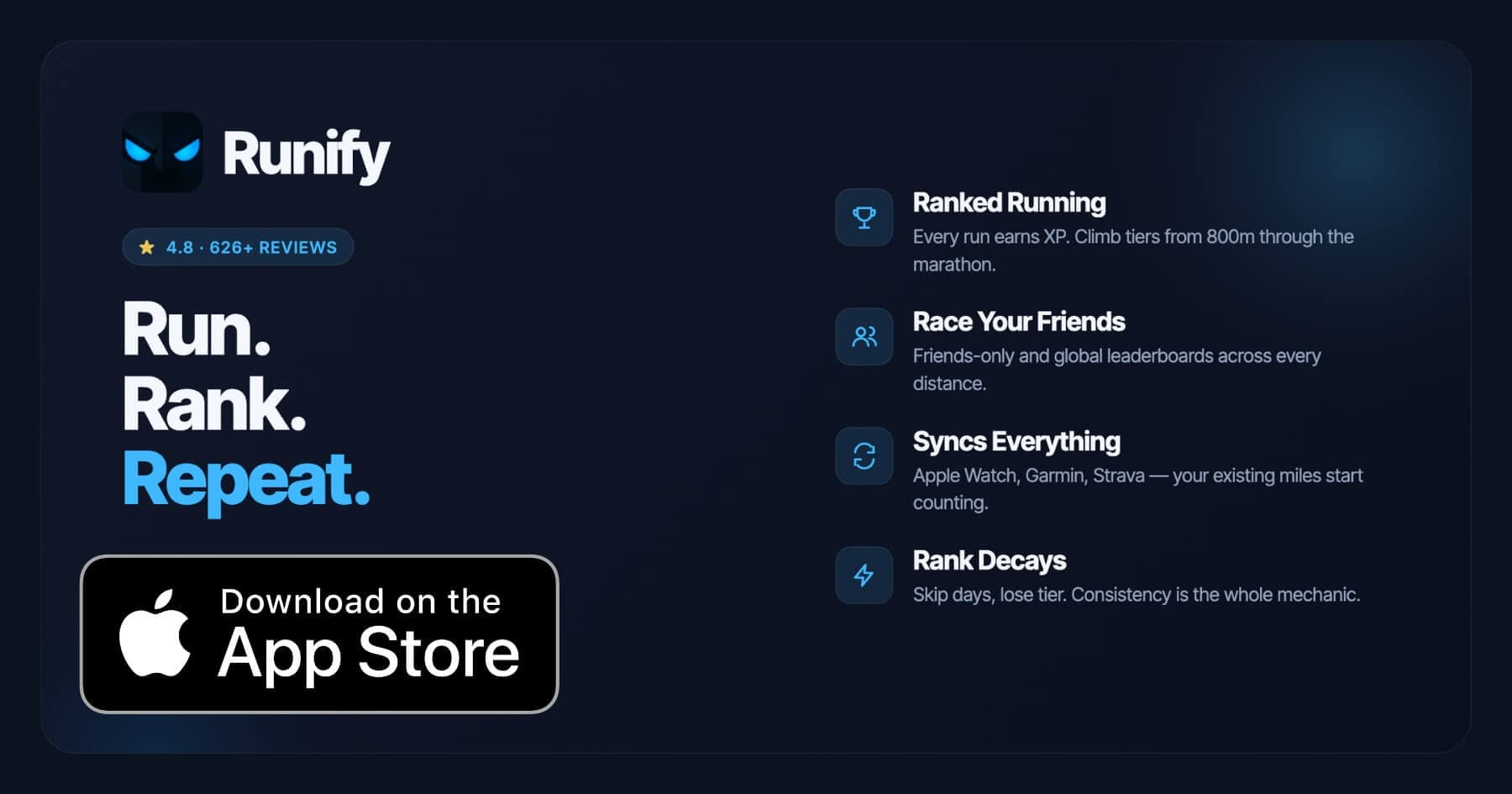
Runify is a ranked running app that puts every run you log toward XP, a competitive tier system, and leaderboards across distances from 800m through the marathon. The 1K and 5K leaderboards map directly to common track workout and time trial distances, making Runify a natural complement to a Garmin or Apple Watch track session. Log your run on your Garmin or Apple Watch, sync it to Runify, and your time counts toward a real competitive rank.
Runify does not have its own track mode or GPS algorithm, so it belongs behind Garmin and Apple Watch for raw measurement accuracy. But once that accurate data lands in your account, Runify turns it into something visible: a rank that moves up when you are consistent and drops when you go quiet. The 4.8-star App Store rating from 626+ reviews and 100,000+ runs logged reflect how much that accountability layer matters to real runners.
If you are the kind of track runner who logs a 5K time trial every few weeks to benchmark progress, Runify gives those benchmarks a permanent rank context - and a friends leaderboard to compare them against.
For runners who do speedwork sessions that overlap with track training, see how Runify fits in our speedwork app breakdown and our interval training app comparison.
Key Features
- Friends and Global Leaderboards: 800m, 1K, 5K, 10K, half, and marathon distance leaderboards. Compare against your friend group or the world.
- Apple Watch, Garmin, and Strava Sync: Bulk-import past runs and auto-detect new ones. Your existing watch keeps working and your track sessions count.
- Ranked Progression System: XP from every run feeds an overall Runify Rank. Post-run rank-up reveals and rank decay for inactivity make consistency tangible.
- In-App GPS Tracking: Live GPS for non-track runs, with 99.5% GPS routing accuracy for road and trail.
- Shareable Run Recaps: Stylized templates with one-tap Instagram Stories sharing for your 5K time trials and PRs.
Pricing
Monthly: $4.99/month (no free trial). Annual: $39.99/year with a 7-day free trial. Pro unlocks distance-specific leaderboards and expanded profile and history views.
Best For
- Track runners who want their 1K and 5K time trials to count toward a real competitive rank
- Runners who already use Garmin or Apple Watch and want a social motivation layer on top
- Athletes who run benchmark distances regularly and want a friends leaderboard
Limitations
- iOS only. No Android support.
- No dedicated track mode or GPS algorithm for oval measurement. Use Garmin, Apple Watch, or Coros for accurate track GPS, then sync to Runify.
- Not a coached training-plans app. No structured workout programming, audio coaching, or pace guidance during a run.
5. Stryd - Best for Running Power on the Track
Stryd is a small footpod that clips to your shoe and measures running power, a metric that stays consistent regardless of GPS signal quality. On a 400m oval where GPS drifts on every curve, power from a Stryd footpod is stable from the very first step. The Stryd iOS app (and PowerCenter web dashboard) shows power by rep, giving you a pace-independent view of how hard each interval actually was.
The Stryd 5.0 hardware, released in early 2026, adds Stryd Adaptive Training, which builds personalized workouts based on your fitness and schedule. For track runners who want to train by effort rather than pace - especially useful when conditions vary - Stryd gives you the most consistent rep-to-rep feedback available.
Key Features
- Running Power Measurement: Footpod-based power that does not depend on GPS. Stable on every curve of the 400m oval.
- Power by Rep: The Stryd app and PowerCenter show power for each interval, so you can see whether effort was consistent or faded.
- Stryd Adaptive Training: Personalized structured workouts that adjust to your fitness and weekly schedule.
- iOS App and PowerCenter Dashboard: Post-run analysis, history, and workout planning available on iPhone and web.
- Watch Integration: Works with Apple Watch, Garmin, Coros, and most major GPS watches.
Pricing
Stryd 5.0 footpod: $199. Stryd membership for Adaptive Training features: tiered pricing with monthly, 4-month, and annual options (check stryd.com for current regional pricing updated November 2025). Basic power data does not require a paid membership.
Best For
- Runners who want effort-based feedback independent of GPS accuracy
- Athletes running high-volume track sessions who need consistent rep-to-rep data
- Runners already using Garmin or Apple Watch who want power as an additional data layer
Limitations
- Requires a $199 hardware purchase before you can use the app meaningfully.
- Running power is an advanced metric with a learning curve. Less intuitive than pace or heart rate for beginners.
- The Stryd app is a companion tool, not a standalone run tracker.
How to Choose the Best Track Running App
Picking the right app depends on what you actually need at the track.
-
GPS accuracy and lap measurement: This is the core problem for track running. Apps paired with watches that have a dedicated Track Run mode - Garmin, Coros, and Apple Watch - solve it. Apps without that mode will drift on the curves. If accurate lap splits are non-negotiable, start with one of those three.
-
Interval workout programming: If you build complex sessions (warm-up, 8x400m at 5K pace, 90-second rest, cool-down) and want them sent to your wrist, Garmin Connect and Coros give you the most flexible interval builders. Apple Workout handles basic intervals but is less configurable.
-
Motivation and accountability between sessions: Accurate data is only useful if you keep showing up. A competitive rank system or leaderboard - like Runify's - adds a visible reason to run your time trials consistently. That layer sits on top of your GPS watch, not in place of it.
-
Budget: Garmin and Coros watches capable of track mode start around $229-$349. Apple Watch with track support starts around $399. Stryd is an additional $199 on top of your watch. Runify's $4.99/month complements whichever watch you already own.
-
Metric preference - pace vs. power: Most runners train by pace. If you want effort-based feedback that ignores GPS entirely, Stryd's power data is the most track-consistent option. Power also handles windy straights and varying track surfaces better than pace targets.
Frequently Asked Questions
What is the best app for track running in 2026?
Garmin Connect paired with a Garmin watch's Track Run mode is the most accurate and fully-featured option for 400m oval running in 2026. After roughly two calibration laps, Garmin measures distance algorithmically rather than relying on GPS, producing splits accurate to within a fraction of a percent on tested 400m sessions. Apple Workout on a newer Apple Watch is the best choice for runners already in the Apple ecosystem - it uses pre-mapped track data for instant detection, no calibration needed. For competitive motivation on top of accurate tracking, Runify adds leaderboards across 800m through marathon distances.
Is there a free app for track running on iPhone?
Garmin Connect and the Coros app are both free on iOS. The core cost is the watch required to use their track modes (Garmin starts around $349, Coros Pace 3 around $229). Apple Workout is free with any recent Apple Watch. Runify offers a 7-day free trial on the annual plan ($39.99/year after trial, or $4.99/month). Stryd requires a $199 footpod purchase.
Can I sync my Garmin track workouts to Runify?
Yes. Runify imports runs directly from Garmin Connect via API. Any track session you finish on your Garmin - including Track Run sessions with precise lap splits - will auto-sync to Runify and count toward your XP, rank, and distance-specific leaderboards. The same applies to Apple Watch runs synced through HealthKit. Past runs can be bulk-imported when you first connect your accounts.
What features should I look for in a track running app?
The most important feature is a dedicated track mode that measures distance algorithmically instead of relying on GPS. Beyond that, look for: a lap split table that separates each rep and rest; an interval workout builder you can configure before leaving the house; heart rate and pace overlays on each lap; and post-run analysis that shows whether your splits held or faded. Competitive features like leaderboards add long-term accountability once the core measurement problem is solved.
Does GPS work accurately on a 400m track?
Standard GPS struggles on tight 400m ovals because the curves cause drift and multipath errors. A raw GPS trace on a track can read 5-10% over the real distance, turning a 400m rep into 420-440m in the app. Garmin's Track Run mode, Coros's Track Run profile, and Apple Watch's track detection all solve this by switching to an algorithmic measurement model after initial calibration or detection. Stryd bypasses the problem entirely by measuring running power from a footpod rather than relying on GPS signal.
Final Verdict
Track running has a clear GPS problem, and the apps that solve it are the ones paired to watches with dedicated track modes. Garmin Connect is the most complete package: accurate oval measurement, a capable interval workout builder, and deep post-run analysis. Apple Workout is the friction-free pick for Apple Watch owners who want automatic track detection with no setup.
Coros is worth a look if you want structured interval programming without the Garmin price tag. Stryd belongs in the stack for runners who want effort-based feedback that ignores GPS entirely.
Runify sits in a different lane. It will not measure your track laps, but it will make every 1K and 5K time trial count toward a real competitive rank. If you already have a Garmin or Apple Watch handling the measurement, Runify turns that data into something that sticks.
Ready to make your track PRs count toward something? Download Runify and sync your Garmin or Apple Watch runs to start climbing the 1K and 5K leaderboards.

4.8 on the App Store · Built for iOS