Best Running Apps with Apple Watch Complications 2026
Best Running Apps with Apple Watch Complications 2026
Your Apple Watch face is prime real estate. Six seconds of glance time, a tap to launch, and a complication that shows your weekly mileage before your shoes are tied. Most runners never configure their complications at all - they just leave the default Activity rings and call it a day. But the right complication turns a blank watch face into a running dashboard: today's distance, a streak count, last run pace, or a one-tap workout start.
The apps below range from rich multi-complication suites down to a single app-launch shortcut. We compared each one for complication depth, what data surfaces on your wrist without opening the app, and how well the watch and iPhone sides work together. Here are the seven best running apps with Apple Watch complications in 2026.
The best running apps with Apple Watch complications in 2026 are: 1) WorkOutDoors for the deepest on-wrist data and full complication customization, 2) Nike Run Club for its streak complication and exclusive modular sport face, 3) Apple Workout for deeply integrated native complications across every watch face, 4) Runify for syncing every run from your watch into a ranked progression system, 5) Strava for route-navigation and segment-tracking from your wrist, 6) Runna for structured training sessions sent directly to your watch, and 7) Streaks Workout for a habit-streak complication built for consistency.
1. WorkOutDoors - Best for Deep Complication Customization
WorkOutDoors is the most data-rich Apple Watch running app available in 2026, and it earns the top spot here specifically because of complications. A one-time $8.99 purchase - no subscription - gets you over 800 configurable metrics, offline maps, turn-by-turn navigation, and full complication support across every major watch face format.
The complication options go far beyond a simple app-launch icon. WorkOutDoors supports circular small, modular small, modular large, utilitarian small, utilitarian large, and extra-large complication slots, covering every face type from Infograph to Modular Compact. You can surface metrics like recent distance, today's active time, or a direct workout-start button without ever pulling out your phone.
For runners who want their Apple Watch to behave more like a Garmin - with dense on-wrist data screens swappable mid-run - WorkOutDoors goes further than any other iOS running app. If you also track your runs on an Apple Watch Ultra for its dual-frequency GPS, WorkOutDoors is the app that uses that hardware most fully.
Key Features
- 800+ configurable metrics across multiple customizable screens, swipeable mid-run
- Full complication suite - supports all major complication slot types on watchOS
- Offline maps and routes - download topographic maps to the watch, no phone required
- 42 activity types - running, trail, cycling, hiking, and more tracked natively
- One-time purchase - no subscription, no tip required to unlock features
Pricing
One-time purchase of $8.99 on the App Store. No subscription, no ongoing cost.
Best For
- Runners who want Garmin-level on-wrist data from their Apple Watch
- Ultramarathoners and trail runners who need offline navigation
- Anyone who wants rich complications that surface real metrics, not just an app icon
Limitations
- Watch-only app - no iPhone companion app for post-run analysis
- No social features or leaderboards
- No rank or gamification layer to keep you accountable between runs
2. Nike Run Club - Best Complication for Streak Runners
Nike Run Club offers one of the most purpose-built complication experiences for runners on Apple Watch. The app adds complications for Start (one-tap workout launch), Total Monthly Miles, Featured Run, Last Run Details, and a Streaks complication that shows your current weekly run streak directly on your watch face.
The exclusive Nike Modular Sport face - available only on Apple Watch Nike models - lets you configure multiple NRC complications in one place: pace, total miles, a quick-start button, and the streak icon all visible at once. On standard Apple Watch hardware, you can add individual NRC complications to Modular, Infograph, and other supported faces.
Nike Run Club is entirely free, which makes it the lowest-barrier way to get a rich complications setup on your wrist. If you use an Apple Watch SE and want complication features without spending anything beyond the watch itself, NRC is the strongest free option.
Key Features
- Streaks complication - current weekly run streak visible on watch face
- Start complication - one-tap workout launch from any compatible watch face
- Total Monthly Miles complication - at-a-glance progress toward your monthly goal
- 300+ free Guided Runs - audio coaching built into free tier
- Nike Modular Sport face - multi-complication layout for Apple Watch Nike models
Pricing
Free. No subscription required.
Best For
- Runners who want a strong complications setup at no cost
- Nike Watch owners who want the full multi-complication modular sport face
- Streak-motivated runners who want that streak count visible all day
Limitations
- iOS and Android - no complications unique to Apple Watch hardware tiers beyond the Nike model
- No post-run rank system or competitive leaderboards
- No sync from Garmin or third-party trackers
3. Apple Workout - Best Native Integration
The built-in Workout app on Apple Watch has the deepest native complication support of any app on this list - because it is built into watchOS itself. Every standard Apple Watch face supports the Workout complication in some slot, and on Infograph faces you can run Activity rings alongside a Workout quick-start in the same layout.
The Workout complication does one thing very well: it places a large, tappable start button on your watch face. Tap it, choose running, and you are tracking within two seconds - no phone, no Bluetooth required. Your splits, heart rate zones, cadence, and route all capture directly to HealthKit, which every other app on this list can read and import.
For runners who own an Apple Watch Series 9, the native Workout app unlocks the Double Tap gesture to pause and resume a run without touching the screen - a feature that requires first-party integration to function.
Key Features
- Native complication on every watchOS face - no setup required
- Instant workout start - tap complication, tap run, tracking begins
- Double Tap pause/resume on Series 9 and newer
- Full HealthKit export - all run data available to third-party apps automatically
- Zero cost - built into every Apple Watch
Pricing
Free. Included with Apple Watch and iOS.
Best For
- Runners who want the simplest possible one-tap start from their watch face
- Apple Watch users who sync run data into other apps like Runify or Strava
- Anyone who values native integration over advanced features
Limitations
- No rank, leaderboard, or social features
- No third-party route navigation or advanced metrics beyond built-in sensors
- Complication only launches the app - does not display run data like mileage or streak
4. Runify - Best for Turning Watch Runs into a Rank
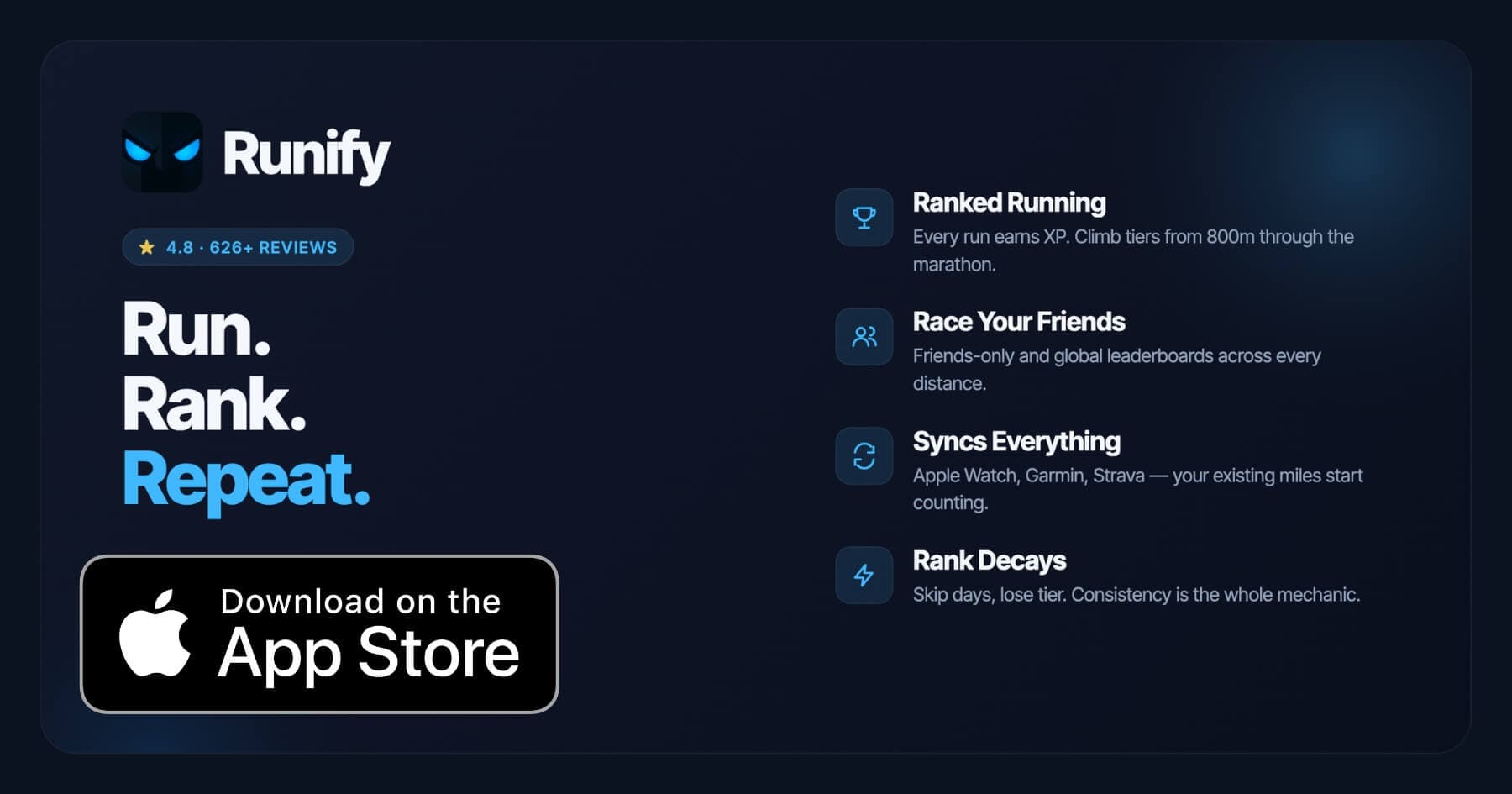
Runify is the first ranked running app, and every run your Apple Watch captures feeds directly into it. Rather than competing with WorkOutDoors for on-wrist data density, Runify plays a different role in a complications-aware setup: you track with your Apple Watch using the native Workout app or WorkOutDoors, and then Runify auto-imports that run through HealthKit, converts it to XP, and updates your rank on friends and global leaderboards across distances from 800m through the marathon.
Runify holds a 4.8-star rating on the App Store with 626+ reviews, and the community has logged over 100,000 runs and 500,000+ miles. The gamification layer - XP, tier progression, rank decay for inactivity - gives every run a visible consequence beyond the run itself. For runners who already have a complications setup they like, Runify is what makes those runs mean something competitively.
Regarding native Apple Watch complications specifically: Runify is primarily an iPhone app that reads from HealthKit. It does not currently offer a standalone Apple Watch complications widget. If you want complications that display Runify rank or streak data on your watch face, the best workflow is to use Apple Workout or WorkOutDoors for the on-wrist tracking complication, and let Runify handle the ranking and social layer on your iPhone.
Key Features
- Ranked Progression System - XP from every run, rank-up reveals, and rank decay for inactivity make consistency tangible
- Friends and Global Leaderboards - 800m, 1K, 5K, 10K, half, and marathon distance ladders, plus overall Runify Rank
- Apple Watch, Garmin, and Strava Sync - bulk-import past runs, auto-detect new ones; your existing watch keeps working
- In-App GPS Tracking - live GPS with 99.5% routing accuracy, splits, photos, and post-run summaries
- Shareable Run Recaps - stylized templates with one-tap Instagram Stories sharing and rank cards
Pricing
Monthly: $4.99/month (no free trial). Annual: $39.99/year with a 7-day free trial. Pro unlocks distance-specific leaderboards and expanded profile and history views.
Best For
- Runners who already use Apple Watch or Garmin and want their miles to count toward a rank
- Competitive runners chasing friends and global leaderboards across specific race distances
- Anyone who needs an accountability layer beyond raw mileage tracking
Limitations
- iOS only. Android is not supported.
- No native Apple Watch complications widget - pairs best with Apple Workout or WorkOutDoors for on-wrist tracking
- Not a coached training-plans app - no structured workouts, pace coaching during runs, or audio coaching
- No route discovery or race registration features
5. Strava - Best for Segment Complications
Strava's Apple Watch complications are primarily app-launch shortcuts - tap the complication to open Strava and start recording. The complication icon is available in circular small, utilitarian small, and modular small slots. By itself, this is the least data-rich complications setup on this list.
Where Strava earns its spot is what happens after the complication tap. In early 2026, Strava launched a significant Apple Watch update that added saved routes, live map navigation, and segment tracking directly on your wrist. You can load a saved route before a run, follow your live position on the watch map mid-run, and see Strava segment data without ever opening your phone.
Strava is free with a subscription tier (Strava Summit) that unlocks segment leaderboards and other advanced features. For runners who care about Strava segments, the watch-to-segment pipeline is one of the strongest available.
Key Features
- Route navigation on watch - load a saved route and follow it from your wrist
- Live segment tracking - see Strava segments as you pass through them during a run
- App-launch complication - available in multiple slot sizes for quick workout start
- Social segments and leaderboards - compare your efforts against friends and athletes globally
- Strava Summit - premium tier adds route, segment, and analysis features
Pricing
Free basic tier. Strava Summit subscription: approximately $11.99/month or $79.99/year.
Best For
- Segment-focused runners who want to chase Strava KOMs and PRs from their wrist
- Runners who use saved routes and want on-watch navigation
- Social runners embedded in large Strava clubs or groups
Limitations
- Apple Watch complication is an app-launch shortcut, not a data complication
- No rank progression or gamified XP system
- Advanced segment and route features require Strava Summit subscription
6. Runna - Best for Coached Training Complications
Runna is a structured training plan app that delivers coaching sessions directly to your Apple Watch. The Apple Watch integration pulls the day's workout - specific intervals, target paces, rest periods - to your wrist so you can run without looking at your phone. Audio cues prompt you when to speed up, slow down, start, or stop.
Runna's complications work as app-launch shortcuts that take you straight into the day's scheduled session. It does not surface today's workout details in a glanceable complication slot the way a calendar app might, but the watch app itself handles session delivery well once you are in it.
Strava acquired Runna in 2024, and in 2026 you can bundle both apps into a combined subscription. If coaching plans with Apple Watch delivery matter to you, Runna is the most purpose-built option in this category.
Key Features
- Personalized training plans - 5K through marathon, with injury rehabilitation and speed work tracks
- Apple Watch session delivery - intervals, paces, and rest periods on your wrist with audio cues
- Strava integration - runs sync automatically; Strava + Runna bundle available
- Adaptive scheduling - plan adjusts when you miss a session or log a different workout
- App-launch complication - quick access to today's scheduled session
Pricing
Monthly: $19.99/month. Annual: $119.99/year. Strava + Runna bundle: $149.99/year. 7-day free trial available.
Best For
- Runners following structured plans who want Apple Watch to handle session delivery
- Marathon and half-marathon builders who need adaptive coaching
- Strava users who want both apps under one subscription
Limitations
- One of the pricier apps on this list at nearly $120/year
- Complication is an app-launch shortcut, not a glanceable data widget
- No leaderboards or social rank features
7. Streaks Workout - Best Habit-Streak Complication
Streaks Workout is a simple, equipment-free workout app that focuses on habit consistency. Its Apple Watch integration includes a complication that displays your current workout streak on your watch face - a small but powerful visual cue for runners who are building a daily movement habit.
The app offers 30 bodyweight exercises and lets you create custom workouts at four different lengths. As a running-specific tool it is limited - no GPS, no route tracking, no leaderboards. But for runners who are in an early habit-building phase and want to see that streak number on their wrist every time they glance at their watch, the Streaks Workout complication does exactly that job.
If you want a more complete streak-plus-ranking system, pairing the Apple Watch apps discussed in our general Apple Watch running roundup with Runify gives you both the GPS tracking complication and the gamified streak visibility on your iPhone.
Key Features
- Streak complication - current workout streak visible on Apple Watch face
- 30 equipment-free exercises - bodyweight routines for any fitness level
- Custom workout builder - four workout lengths, user-defined exercise selection
- Apple Watch native - workouts start and track from the watch independently
- Simple one-screen design - no complexity, no menus, just move
Pricing
Free with optional in-app purchases.
Best For
- Beginners building a daily movement habit who want streak accountability on their wrist
- Runners supplementing road runs with strength work
- Anyone who wants a dead-simple streak complication without a complex app behind it
Limitations
- No GPS or run tracking - not a running app in the traditional sense
- No social features, leaderboards, or sync with Garmin or Strava
- Streak is based on workout completions, not run-specific activity
How to Choose the Best Apple Watch Complication Running App
The right app depends on what you want to see on your wrist - and what you need to happen after you tap.
-
Decide what the complication should display. An app-launch shortcut (Strava, Runna) is useful if you always start the same way. A data complication (WorkOutDoors, Nike Run Club) surfaces information before you launch. Know which you actually need.
-
Match the complication to your watch face. Infograph and Modular faces support up to eight complications. Simpler faces like Typograph support none. Check your current face before choosing an app - some rich complication sets only work on specific face types.
-
Consider whether you need the watch to track or just launch. If your Apple Watch is the primary tracker, WorkOutDoors and Apple Workout are the strongest choices. If you import runs from multiple sources (watch, Garmin, Strava), an app like Runify can aggregate them into a rank without needing a native watch app at all.
-
Think about accountability beyond the run. A streak complication (Nike Run Club, Streaks Workout) works well if visual habit cues help you stay consistent. A rank and leaderboard system like Runify works if competition is a stronger motivator than a streak counter.
-
Set a budget. WorkOutDoors is $8.99 once, with no ongoing cost. Nike Run Club is free. Runify is $4.99/month or $39.99/year. Runna is $119.99/year. Apple Workout comes free with your watch. Your app stack does not need to be expensive to be effective.
Frequently Asked Questions
What is the best running app with Apple Watch complications in 2026?
WorkOutDoors is the best running app for Apple Watch complications in 2026 if you want the most data on your wrist. It supports every major complication slot type - circular, modular, utilitarian, and extra-large - and can surface real run metrics rather than just an app icon. For streak-focused runners, Nike Run Club adds a dedicated streak complication and is completely free. For runners who want every Apple Watch run to feed a competitive rank and leaderboard, Runify pairs well with any on-wrist tracker through HealthKit auto-import.
Is there a free running app with Apple Watch complications?
Yes. Nike Run Club is entirely free and offers some of the strongest complications on this list, including a streak complication, a one-tap Start complication, and a Total Monthly Miles complication. The Apple Workout app is also free and comes built into every Apple Watch with native complication support on every watch face. Streaks Workout has a free tier with its streak complication. Runify offers a 7-day free trial on its annual plan ($39.99/year) if you want to test the ranked running layer before committing.
Can I sync my Apple Watch runs with a running app that has complications?
Yes. Every app on this list reads from HealthKit, which captures runs recorded with the native Apple Workout app or WorkOutDoors. Runify auto-imports from HealthKit, Garmin Connect, and Strava - so runs recorded from your Apple Watch count toward your rank automatically, even if Runify does not itself provide a native Apple Watch complication. For a full complications-plus-sync setup, use Apple Workout or WorkOutDoors as your on-wrist tracker (complication for quick start), and let Runify handle the ranking and leaderboard layer on your iPhone.
What features should I look for in a running app complication?
Look for four things: slot type support (does the complication fit your watch face?), data display (does it show a metric or just an app icon?), one-tap launch accuracy (does tapping immediately start tracking or navigate through menus?), and refresh frequency (how often does the complication update the data it shows?). WorkOutDoors and Nike Run Club score best across all four. Apple Workout wins on launch speed since it is native. Strava and Runna are solid for launch shortcuts but do not display data in the complication slot itself.
Do I need an Apple Watch Nike to use Nike Run Club complications?
No. Nike Run Club complications - including the streak, start, total monthly miles, and last run details slots - are available on all Apple Watch models. The exclusive Nike Modular Sport watch face, which lets you configure multiple NRC complications in one layout, is only available on Apple Watch Nike hardware editions. On a standard Apple Watch Series 9, SE, or Ultra, you can add individual NRC complications to supported faces like Modular, Infograph Modular, and others.
Final Verdict
Apple Watch complications turn a passive wrist-check into an active running tool. The best apps use that moment well - either by surfacing real data (distance, streak, pace) or by making the path from watch face to active tracking as short as possible.
WorkOutDoors earns the top spot because it does both: deep complication support across every face type, and the richest on-wrist data of any third-party app. Nike Run Club is the best free option, particularly for runners who want streak accountability visible all day. Apple Workout remains the fastest-start option since it is native to watchOS and requires zero setup.
Runify fits a different gap. It does not compete for watch-face real estate today, but it turns every run your Apple Watch records into something with competitive weight - a rank, a leaderboard position, a tangible consequence for going inactive. For runners who already have a complication setup they like and want their miles to matter beyond the GPS summary, pairing Runify with Apple Workout or WorkOutDoors is the strongest combination this year.
Ready to make every Apple Watch run count toward a rank? Download Runify and start climbing the leaderboard - your existing watch runs import automatically.

4.8 on the App Store · Built for iOS