Best Running Apps for Peak Week Tracking 2026
Best Running Apps for Peak Week Tracking in 2026
You've been building for months. The long runs are done, the mileage is stacked, and your biggest training week is finally here. The last thing you want is to guess whether you hit your target volume or blow past it without realizing. Peak week only works if you can see exactly what you've done and what's still left to run.
These six apps handle peak week tracking in very different ways - from deep periodization dashboards to lightweight weekly mileage views. We tested and compared the top options. Here are the best tools for the job in 2026.
The best apps for peak week tracking in 2026 are: 1) TrainingPeaks for periodized phase tracking with CTL/ATL/TSB, 2) Garmin Connect for watch-native training load without a separate subscription, 3) Final Surge for simple weekly snapshots paired with free plan access, 4) Runalyze for deep data analysis at low cost, 5) Intervals.icu for free training load analytics, and 6) Runify for weekly mileage accountability and rank-based consistency. The clearest separation is between apps that model training stress scientifically (TrainingPeaks, Garmin, Runalyze) and those that keep it simple (Final Surge, Runify).
1. TrainingPeaks - Best for Periodized Phase Tracking
TrainingPeaks is the benchmark for structured endurance training. Its Performance Management Chart plots your Chronic Training Load (fitness), Acute Training Load (fatigue), and Training Stress Balance (form) on a single graph so you can see exactly when your peak week lands in the broader training arc. Coaches and self-coached athletes at every level use it to time peak weeks with precision.
Why TrainingPeaks Stands Out
The CTL/ATL/TSB framework makes peak week visible as a phase, not just a number. You can plan forward - stacking weeks until CTL hits your target - then watch ATL spike during peak week and TSB recover during taper. No other consumer app models this as clearly.
Activities sync automatically from Garmin, Polar, Wahoo, and Strava. The plan marketplace lets you buy pre-built periodized plans that auto-populate your calendar with weekly targets, so your peak week is baked in from day one.
The free tier covers basic logging and a 1-week calendar view. For peak week analytics you need Premium, which unlocks the Performance Management Chart, Peak Performances, structured workout files, and multi-sport analysis. If you already run with a TrainingPeaks plan - or work with a coach who uses it - the investment makes sense. If you just want to see weekly mileage, it's more than you need.
Key Features
- Performance Management Chart: CTL, ATL, and TSB visualized over your full training block, with a clear peak and taper arc.
- Training Stress Score (TSS): Normalizes sessions by intensity so a hard 8-miler and an easy 12-miler count differently toward your load.
- Plan Marketplace: Hundreds of pre-built plans from coaches that auto-populate your calendar with periodized phases.
- Multi-Platform Sync: Garmin, Polar, Wahoo, Strava, Apple Health, and more.
- Peak Performances: Personal best tracking across standard distances and durations.
Pricing
Free tier: basic log and 1-week view. Premium: $19.99/month or $119.99/year. A free trial is available on annual plans.
Best For
- Self-coached runners following a periodized plan
- Athletes working with a coach on the TrainingPeaks platform
- Anyone who wants to model CTL/ATL/TSB for their training block
Limitations
- Full peak week analytics require the Premium plan at $19.99/month
- Interface has a steep learning curve for new users
- Overkill if you only need weekly mileage totals
2. Garmin Connect - Best for Watch-Native Training Load
If you already run with a Garmin watch, Garmin Connect is the most frictionless way to track training load. The app pulls acute load (7-day), chronic load (28-day), and load ratio directly from your watch data, no third-party subscription needed. You can see a status label - Productive, Overreaching, Peaking, Recovery - updated after every run.
Key Features
- Acute/Chronic Load Ratio: 7-day vs. 28-day load comparison tells you if this week is appropriately hard or tipping into overreach.
- Training Status Labels: Watch-level summaries (Productive, Peaking, Overreaching, Maintaining) updated in real time.
- Weekly Summary View: Total distance, time, elevation, and estimated effort for the current week.
- Performance Condition: Real-time metric during runs to gauge effort relative to your baseline.
- Free with Garmin Watch: No subscription required for core analytics.
Pricing
Free with any compatible Garmin device. Garmin Connect+ subscription ($6.99/month or $69.99/year) adds advanced metrics and some health features, but peak week training load is available without it.
Best For
- Garmin watch owners who want training load without a separate app
- Runners who trust first-party data straight from the device
Limitations
- Limited value without a Garmin watch
- No forward planning or periodization calendar
- Training status labels can lag behind actual fitness changes
3. Final Surge - Best for Simple Weekly Snapshots
Final Surge takes a lighter approach. The Weekly Snapshot gives you a clean fitness summary at a glance - total mileage, time, and key sessions for the week - without requiring you to learn a metrics framework. It supports free training plan access, and hundreds of plans from coaches around the world populate your calendar automatically.
Key Features
- Weekly Snapshot: One-screen summary of your current week's fitness log.
- Gear Mileage Tracking: Logs miles on each pair of shoes alongside weekly totals.
- Apple Watch and Garmin Sync: Push structured workouts to your watch, pull completed runs back.
- Training Plan Library: Free plans from coaches across distances and ability levels.
- iOS and Android: Available on both platforms.
Pricing
Free for athletes. Training plans from coaches average $12-$35 on the marketplace. No subscription required for the core training log.
Best For
- Runners following a free or low-cost training plan
- Athletes who want a simple weekly view without data complexity
Limitations
- No CTL/ATL/TSB training load modeling
- The free model relies on third-party coach plans for structure
- Less depth than TrainingPeaks for self-coached analytics
4. Runalyze - Best for Deep Data at Low Cost
Runalyze is the analyst's choice. It calculates effective VO2 max, race prognosis, and moving average mileage across custom time windows - useful for confirming that this week's volume is actually your highest week of the block. The interface is dense, but runners who want to dig into trends without paying TrainingPeaks prices find it hard to beat. Our weekly mileage statistics post covers the benchmarks you'd be comparing against.
Key Features
- Moving Average Mileage: Weekly, monthly, or yearly volume trends with peak detection.
- Effective VO2 Max: Updated from each run to show fitness progression.
- Race Prognosis: Predicts finish times based on current fitness.
- Training Load Curves: Visualizes volume changes across the full training block.
- Garmin, Strava, and File Import: GPX, FIT, TCX import plus direct platform sync.
Pricing
Free with ads. Paid tier removes ads and unlocks extended data visualizations and HRV history: approximately €7-€8/month.
Best For
- Data-driven runners who want analytics without a premium subscription
- Athletes tracking moving average peaks across a multi-month build
Limitations
- Steep learning curve - the interface rewards patience
- VO2 max scoring can feel discouraging on recovery week runs
- Web-first experience; the mobile app is secondary
5. Intervals.icu - Best Free Training Load Platform
Intervals.icu is fully free and delivers CTL, ATL, and TSB modeling comparable to TrainingPeaks Premium. It connects to Garmin, Strava, Wahoo, and most major platforms. For runners who want the Performance Management Chart without paying $19.99/month, it's a serious option - though the interface takes time to learn. Supporters can donate to fund development, but no features are locked behind a paywall.
Key Features
- Full CTL/ATL/TSB Modeling: Free access to the same performance management framework as TrainingPeaks.
- Per-Sport Zones: Separate zone settings and metrics for running, cycling, and other disciplines.
- Training Load Charts: Weekly and monthly load history with acute/chronic ratio.
- Device and Platform Sync: Garmin, Strava, Wahoo, Polar, and file upload.
- Community and Forum: Active user base contributing integrations and analytics tips.
Pricing
Free. Optional supporter donation to access additional features and support development.
Best For
- Budget-conscious runners who want TrainingPeaks-level analytics for free
- Multi-sport athletes tracking load across disciplines
Limitations
- Interface can be overwhelming for new users
- No structured workout builder or plan marketplace
- Web-first; mobile experience is less polished
6. Runify - Best for Weekly Mileage Accountability
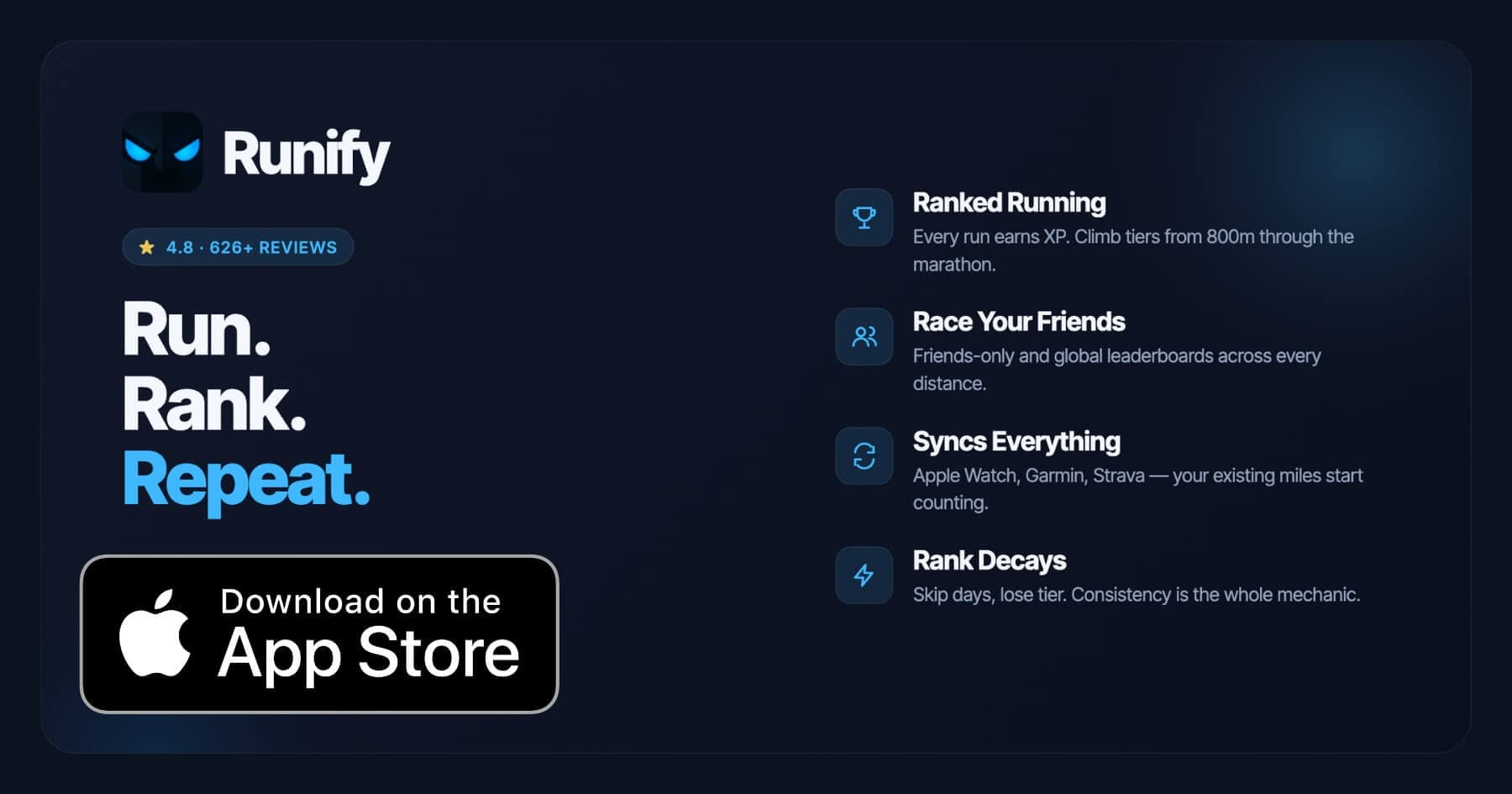
Runify does not label training phases or calculate CTL. What it does is make your weekly mileage visible, competitive, and hard to ignore. Every run you log or sync from Apple Watch, Garmin, or Strava earns XP and moves you through a real ranked tier system. Your Pro weekly stats show total distance, time, and pace for the week - and rank decay when you go inactive turns consistency into something tangible.
Peak week isn't a periodization phase in Runify. It's the week you want to hit a number, and Runify's weekly view confirms whether you did. With 100,000+ runs logged and a 4.8-star App Store rating across 626+ reviews, it's built for runners who need a visible, external reason to stay consistent through the hard weeks of a build.
If you want the leaderboard accountability layer on top of your existing GPS watch data, Runify fits naturally. You still train with your Garmin or Apple Watch - Runify just makes the mileage count toward something beyond the log. See how Runify fits into the broader context of our best running apps for marathon training breakdown.
Why Runify Stands Out
The ranked progression system ties your weekly volume to a competitive outcome. Log your peak week runs and watch your Runify Rank respond. Go quiet during taper and the rank decay system nudges you back into motion. For runners who lose motivation between hard weeks, that external pressure is genuinely useful.
Importing is fast. Bulk-import your history from Apple Watch/HealthKit, Garmin Connect, or Strava in a few taps. New runs auto-detect going forward. If you already track with Garmin Connect and want periodization data there, you can keep that workflow and still have Runify running in parallel for accountability and community.
You can also read our Garmin Connect alternatives breakdown if you're evaluating whether to consolidate your tracking to a single platform.
Key Features
- Weekly Stats (Pro): Total distance, time, and pace for the current week - and monthly, yearly, all-time views.
- Ranked Progression System: XP from every run feeds a real tier system with rank-up reveals and rank decay for inactivity.
- Friends and Global Leaderboards: 800m, 1K, 5K, 10K, half, and marathon - plus overall Runify Rank.
- Apple Watch, Garmin & Strava Sync: Bulk-import past runs and auto-detect new ones going forward.
- In-App GPS Tracking: Live time, distance, pace, and route with 99.5% GPS routing accuracy and post-run splits.
- Streaks and Smart Reminders: Current-streak visibility, celebrations, and inactivity nudges to keep you consistent.
Pricing
Monthly: $4.99/month (no free trial). Annual: $39.99/year with a 7-day free trial. Pro unlocks distance-specific leaderboards and expanded profile/history views including weekly stats.
Best For
- Runners who want a visible weekly mileage layer with competitive accountability
- Apple Watch, Garmin, or Strava users who want their peak week miles to count toward a rank
- Runners building toward first race distances from 800m to the marathon
Limitations
- iOS only. Android is not available.
- No CTL/ATL/TSB training load modeling or periodization phases.
- No structured workout plans, pace coaching, or audio coaching.
- Weekly stats require a Pro subscription.
How to Choose the Best Peak Week Tracking App
Peak week tracking means different things depending on where you are in your training. Here are five questions to guide your choice.
-
Do you follow a periodized plan? If your training is structured around phases (base, build, peak, taper), you need TrainingPeaks or Intervals.icu. Both model CTL, ATL, and TSB so you can see peak week as a phase in the arc, not just a number on the calendar.
-
Do you already own a Garmin watch? Garmin Connect's training load metrics are free with any compatible device. If you run with a Garmin and just want a clear weekly load view, you may not need a separate app.
-
Are you self-coached or coach-coached? Self-coached runners who follow a periodized plan benefit most from TrainingPeaks or Runalyze. Athletes working with a coach often use whichever platform the coach prefers - Final Surge and TrainingPeaks are both popular with running coaches.
-
Do you want analytics or accountability? Analytics apps (TrainingPeaks, Runalyze, Intervals.icu) tell you what your training load means. Accountability apps (Runify, Final Surge) make weekly volume visible and motivating. Some runners use one of each.
-
What is your budget? Intervals.icu and Final Surge are free. Runalyze is free with a low paid tier. Garmin Connect is free with a watch. TrainingPeaks Premium is $19.99/month. Runify is $4.99/month or $39.99/year.
Frequently Asked Questions
What is the best app for peak week tracking in 2026?
TrainingPeaks is the top choice if your goal is periodized phase tracking. Its Performance Management Chart maps CTL (fitness), ATL (fatigue), and TSB (form) across your entire training block, making peak week visible as a planned phase with a clear taper arc following it. Garmin Connect is the best no-subscription option for Garmin watch owners. For runners who want weekly mileage accountability rather than load modeling, Runify tracks weekly stats with Pro and adds rank-based motivation to keep you consistent through the hard weeks of a build.
Is there a free app for peak week tracking?
Yes. Intervals.icu offers full CTL/ATL/TSB modeling at no cost - the same performance management framework that TrainingPeaks charges $19.99/month for. Garmin Connect training load metrics are also free with a compatible Garmin watch. Final Surge is free for athletes and includes a Weekly Snapshot view. Runify offers a 7-day free trial on the annual plan ($39.99/year), with weekly stats available under Pro. The free options are strongest for either watch-native data (Garmin) or no-frills weekly logs (Final Surge).
Can I sync my Apple Watch or Garmin runs with these apps?
Most of the apps on this list support Apple Watch and Garmin sync. TrainingPeaks syncs from Garmin, Polar, Wahoo, and Strava. Garmin Connect pulls directly from Garmin devices. Final Surge supports Garmin and Apple Watch. Runalyze accepts GPX, FIT, and TCX files plus Garmin and Strava sync. Intervals.icu connects to Garmin, Strava, Wahoo, and Polar. Runify supports bulk import and auto-sync from Apple Watch (HealthKit), Garmin Connect, and Strava - your existing watch keeps working, runs auto-detect going forward.
What features should I look for in a peak week tracking app?
Look for weekly volume display (total distance and time for the current week), training load history (how this week compares to prior weeks), and some form of periodization signal - either a phase label or a CTL/ATL chart. Useful extras include gear mileage tracking, multi-platform sync, and alerts when load spikes beyond your baseline. If you want accountability alongside analytics, look for streak tracking, notifications, or a leaderboard - features that make it harder to skip a session when peak week demands consistency.
Will tracking my peak week too closely cause overtraining?
Tracking does not cause overtraining - unmanaged volume spikes do. Apps like TrainingPeaks and Intervals.icu flag overreach with ATL/TSB metrics so you can see when fatigue is outpacing fitness. The 10% weekly mileage increase rule exists because injury risk spikes significantly when single-week volume jumps beyond prior baselines. Good tracking actually protects against overtraining by making the spike visible before you feel it. The danger is using a number on a screen to justify ignoring how your body feels - use the data as one input, not the only one.
Final Verdict
Peak week tracking splits into two categories: apps that model training stress as a phase (TrainingPeaks, Intervals.icu, Garmin Connect) and apps that make weekly mileage visible and motivating (Final Surge, Runalyze, Runify). Most serious runners building toward a marathon or half marathon benefit from having one of each.
TrainingPeaks earns the top spot for runners who train periodically and want to plan a peak week with scientific precision. Garmin Connect is the best free option for watch owners. Intervals.icu is the right call if you want TrainingPeaks-level analytics without the subscription cost.
Runify fits as the accountability layer underneath. It does not replace a periodization app - but for runners who struggle with consistency through the boring middle weeks of a build, a visible rank, a weekly mileage counter, and leaderboard competition with friends is a meaningful addition to whatever tracking stack you already use.
Download Runify and start tracking your weekly mileage toward a real rank. Try it free for 7 days on the annual plan at the App Store.

4.8 on the App Store · Built for iOS