Best Running Apps for Parkrun Finders 2026
Best Running Apps for Parkrun Finders in 2026
Every Saturday morning, thousands of free timed 5Ks kick off in parks across more than 20 countries. You show up, scan your barcode, run 5K, and get a finisher time emailed to you that afternoon. Simple - except finding the right event, tracking your progress across dozens of runs, and figuring out which course is pram-friendly or dog-friendly is less simple than it sounds. The right app changes all of that.
We compared the top apps for discovering parkrun events, tracking your results, and making every Saturday count. Here are the 6 best tools in 2026.
The best apps for parkrun finders in 2026 are: 1) parkrun Official for event discovery, barcode access, and results history straight from the source, 2) parkrunner for deep analytics and NENDY (Nearest Event Not Yet Done) filtering, 3) parkrunner Tourist for planning multi-location parkrun trips, 4) Garmin Connect IQ for on-wrist barcode and event data, 5) Strava for post-run social sharing and segment comparisons, and 6) Runify as a complementary tracker that ranks your 5K times on friends and global leaderboards. For pure event finding, the parkrun Official app is the clear starting point - but serious parkrunners tend to layer in one or two additional tools.
1. parkrun Official - Best for Event Discovery and Results Access
The parkrun Official app is the authoritative starting point for anyone looking to find and attend parkrun events. Developed and maintained by parkrun, it gives you access to the full global event database, your personal barcode (now as a QR code), your complete results history, and volunteering records - all in one place.
Why parkrun Official Stands Out
The app's event search pulls directly from parkrun's live database, which means new courses appear as soon as they launch and cancellations update automatically. You can filter courses by dog-friendliness, buggy suitability, and distance from your location - practical filters that matter when you're choosing a Saturday event.
Your results history is tied to your parkrun ID, so every finish, PB, and milestone is visible in the app without any manual entry. The built-in Planner tool helps you track upcoming events and volunteering commitments in one place.
Key Features
- Event Map and Search: Find parkrun events worldwide by location, filtering for dog-friendly or buggy-friendly courses.
- QR Barcode Access: Your parkrun barcode lives in the app as a QR code, with Apple Wallet support for quick scanning at the finish funnel.
- Results and Milestones: Full results history, PB tracking, and automatic milestone notifications (50, 100, 250 runs).
- Volunteering Records: Log volunteer roles, view upcoming events, and email event coordinators directly from the app.
Pricing
Free. Available on iOS and Android.
Best For
- Every parkrunner - this is the base app everyone needs
- New runners finding their first local parkrun
- Parkrun tourists scoping dog-friendly or buggy-friendly courses
Limitations
- Limited run analytics beyond basic time and position data
- No third-party sync (Garmin, Strava, Apple Watch)
- Event search can be slow in areas with dense event coverage
2. parkrunner - Best for Deep Analytics and NENDY Hunting
The parkrunner app (by Michael Clayton, now part of the parkrun team) started as an unofficial companion and became so popular that Clayton joined parkrun staff to continue developing it. If you want richer data than the official app provides, this is where most dedicated parkrunners go.
Key Features
- NENDY Finder: Smart filtering to find your Nearest Event Not Yet Done, useful for runners working through regional or national tourism challenges.
- Detailed Analytics: Trends for annual PBs, recent pace, age grade over time, and performance history across events and courses.
- Interactive Event Map: Browse events globally with filter options; includes weather insights per run.
- Achievement Tracking: Unlock challenges tied to run counts, volunteering milestones, and tourism goals.
Pricing
Free. Available on iOS and Android.
Best For
- Parkrunners pursuing tourism challenges or NENDY goals
- Runners who want more than basic time data from their results
Limitations
- Relies on parkrun data feeds, so updates follow parkrun's publishing schedule (typically Saturday afternoon)
- Not a GPS tracker - you still need a watch or phone for live run data
3. parkrunner Tourist - Best for Planning Multi-Event Trips
parkrunner Tourist takes a different angle: it focuses on helping you plan ahead when you want to run at unfamiliar events. If you travel for parkrun tourism or are chasing a regional collection of new courses, this app simplifies the logistics.
Key Features
- Trip Planning: Search for parkrun events near hotels or destinations and save a list for an upcoming trip.
- Directions and Weather: Get directions to event start lines and check weather forecasts for planned event days.
- Tourism Challenge Tracking: Track which events you've attended and which remain on your bucket list.
- Global Coverage: Works across all countries where parkrun operates.
Pricing
Free. Available on iOS and Android (via Google Play).
Best For
- Runners who travel and want to incorporate a Saturday parkrun into the itinerary
- Parkrun tourists actively working through regional or national event collections
Limitations
- Narrower feature set than parkrunner; focused on discovery rather than analytics
- Less actively updated than the official or parkrunner apps
4. Garmin Connect IQ - Best for On-Wrist Barcode and Pacing
If you run with a Garmin watch, the Connect IQ store offers several parkrun-specific apps that keep your barcode, pace targets, and live results accessible on your wrist. No more fumbling for your phone at the finish funnel.
Key Features
- parkrun Barcode Widget: Display your parkrun barcode (or QR code) directly on your Garmin watch face, supporting up to 7 IDs.
- parkrun Finder: A Connect IQ app that shows nearby event locations on your watch.
- Parkrun Pacer: Set a target finish time and get live pace guidance for a 5K effort.
- Results Sync: Your Garmin run data syncs to Garmin Connect and can be exported to Strava or Apple Health alongside your parkrun result.
Pricing
Free (Connect IQ apps). Requires a compatible Garmin watch.
Best For
- Garmin watch owners who want barcode access and pacing on the wrist
- Runners who don't want to carry a phone during the event
Limitations
- Requires a Connect IQ-compatible Garmin watch (most models from the past five years qualify)
- The apps are community-developed - update frequency varies by developer
5. Strava - Best for Post-Run Social Sharing and Segment Comparisons
Strava is not a parkrun finder, but it has become the default social layer for many parkrunners who want to share results, compare efforts on a specific course over time, and stay connected to a running community. If you already track your runs on Strava, it fits naturally into a parkrun routine.
As we noted in our overview of the best general race finder apps, Strava works best as a complement to dedicated event-discovery tools rather than a replacement for them.
Key Features
- Segment Leaderboards: Most popular parkrun courses have Strava Segments; your run syncs automatically and ranks you against other Strava users on the same stretch.
- Activity Feed and Kudos: Share your Saturday result with followers and get community engagement.
- Run History and Analysis: Pace trends, heart rate data (with compatible devices), and training load over time.
- Club Integration: Many local parkrun clubs have Strava groups for weekly social interaction.
Pricing
Free tier covers basic tracking and social features. Strava Premium is $11.99/month or $79.99/year and adds advanced analysis, route tools, and full segment leaderboards.
Best For
- Social runners who want to share their Saturday 5K with a community
- Runners comparing their efforts on a specific parkrun course across multiple visits
Limitations
- No parkrun event discovery or barcode access
- Free tier limits access to full segment leaderboard data
- 195 million users means popular segment leaderboards are competitive to the point of being irrelevant for most runners
6. Runify - Best Complementary Tracker for Ranking Your 5K Times
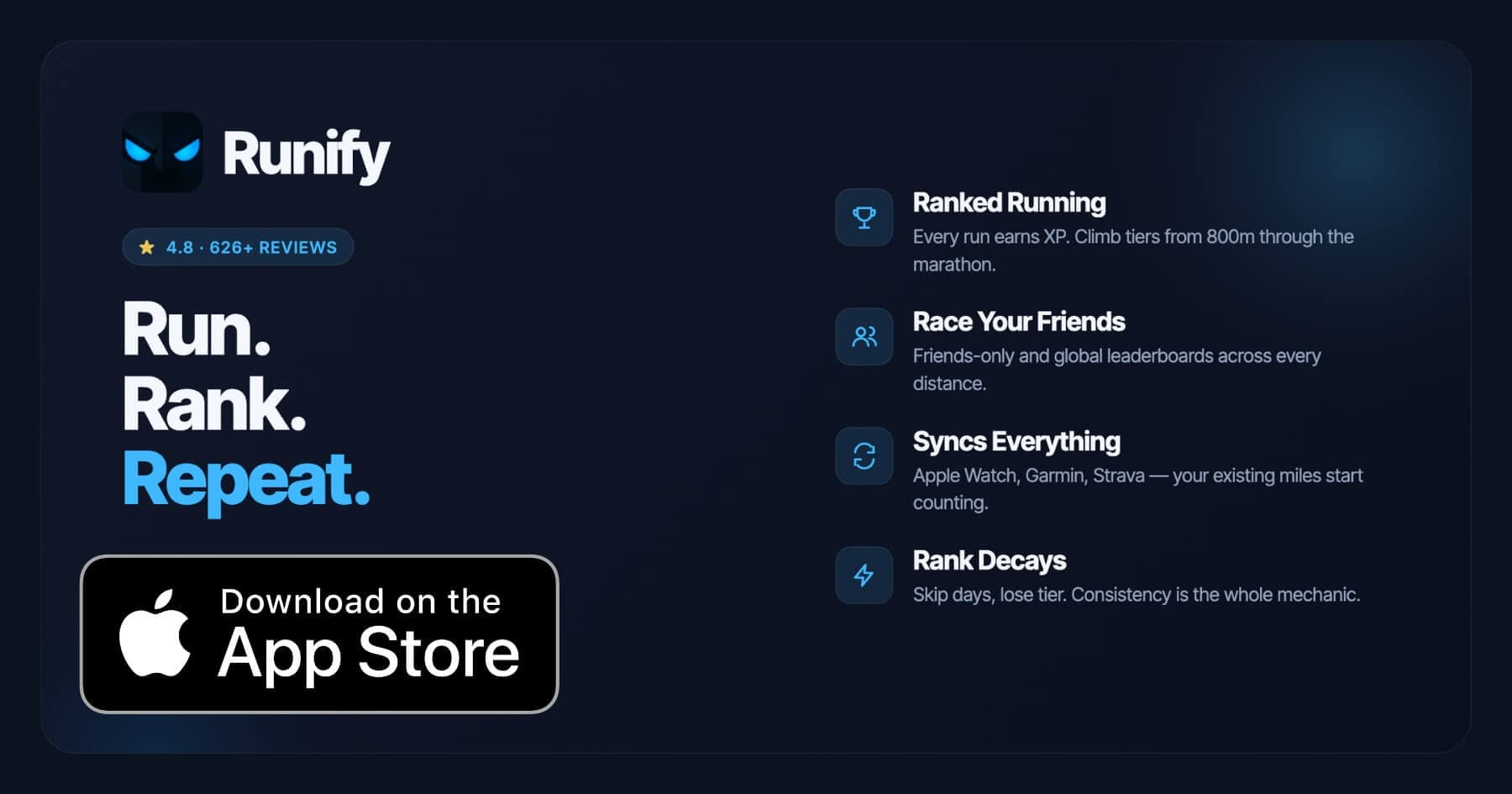
Runify is not a parkrun finder and does not offer event search, event registration, or barcode access. What it does is take the 5K times you're earning at parkrun every Saturday and turn them into something competitive - a ranked progression system with friends and global leaderboards across distances including 5K.
If you're already tracking parkrun runs on your Apple Watch or syncing results through Strava, those runs can flow directly into Runify. Every 5K you complete earns XP, moves you through a tier system, and shows exactly where you stand against your friend group or the world on the 5K leaderboard.
For runners who care about their 5K personal records and want a visible, competitive reason to keep showing up on Saturday mornings, Runify gives parkrun a competitive edge that the official ecosystem doesn't provide.
Runify holds a 4.8-star App Store rating with 626+ reviews, with 100,000+ runs logged across the community.
Key Features
- Ranked Progression System: XP from every run feeds an overall Runify Rank, with post-run rank-up reveals and rank decay if you go inactive.
- Friends and Global Leaderboards: Race your friend group or the world on 5K (and 800m, 1K, 10K, half, marathon) ladders.
- Apple Watch, Garmin, and Strava Sync: Bulk-import past runs from HealthKit/Apple Watch, Garmin Connect, or Strava; new runs auto-detect going forward. Your existing watch keeps working.
- In-App GPS Tracking: Record a parkrun directly in Runify with live GPS - time, pace, distance, route - plus post-run splits and photos.
- Shareable Run Recaps: Stylized recap templates with one-tap Instagram Stories sharing and rank cards.
Pricing
Monthly: $4.99/month (no free trial). Annual: $39.99/year with a 7-day free trial. Pro unlocks distance-specific leaderboards and expanded profile and history views.
Best For
- Parkrunners who want their 5K times to mean something beyond the finisher email
- Apple Watch, Garmin, or Strava users who want their runs feeding a visible rank
- Runners chasing a 5K PB and wanting a competitive benchmark across friends or a global ladder
Limitations
- iOS only - no Android app available
- Not a parkrun finder - no event search, barcode access, or registration features
- Distance-specific leaderboards (including 5K) require a Pro subscription
How to Choose the Best Parkrun App
Most dedicated parkrunners end up using more than one app. Here's how to think about which combination is right for you.
-
Start with the Official App: The parkrun Official app is non-negotiable. Your barcode, results history, and milestones all live there. Every other app builds on top of what the official app provides.
-
Add Analytics if You Care About Progress: If you want more than a finish time - pace trends, age grade over multiple events, NENDY filtering - parkrunner fills that gap cleanly and is free.
-
Layer in Social or Competitive Features: Strava connects you to a wider running community and course-specific segment comparisons. Runify takes that further by ranking your 5K times against friends or globally. Which matters more to you depends on whether your motivation is social or competitive.
-
Match the Tool to Your Watch: Garmin watch users have solid Connect IQ options for barcode access on the wrist. Apple Watch users can add their parkrun barcode through Apple Wallet via the official app or sync runs to Runify for ranking.
-
Think About What Comes After Parkrun: If parkrun is your gateway into longer races, a tool like our half marathon finder guide or a general race finder app will help you find your next step up when you're ready.
Frequently Asked Questions
What is the best app for finding parkrun events in 2026?
The parkrun Official app is the best starting point for finding parkrun events in 2026. It searches the complete global event database, supports filtering by dog-friendly and buggy-friendly courses, and gives you direct access to your barcode and results history. For runners who also want to find their Nearest Event Not Yet Done or track performance trends across multiple visits, the parkrunner companion app adds those analytics on top. Between the two free apps, most parkrunners have everything they need for discovery and tracking.
Is there a free app for tracking parkrun results?
Yes - the parkrun Official app and the parkrunner app are both free and cover results tracking well. The official app stores your full results history tied to your parkrun ID, including PBs and milestone counts. The parkrunner app adds deeper analytics like age grade trends and pace history, also free. Runify offers a complementary layer - ranking your 5K times against friends and a global leaderboard - with a 7-day free trial on the annual plan ($39.99/year) before a subscription is needed.
Can I sync my Apple Watch or Garmin runs with a parkrun tracking app?
Yes. Your Apple Watch or Garmin automatically records GPS data during a parkrun run. From Apple Watch, runs sync to Apple Health, where Runify can import them automatically. Garmin runs sync to Garmin Connect, which can push to Strava, and Runify pulls from both Garmin Connect and Strava directly. The parkrun Official app does not sync from watches or third-party platforms - your official parkrun result comes from the event barcode scan, not your device recording.
What features should I look for in a parkrun app?
Look for these core features: event search with location and filter options (dog-friendly, buggy-friendly, distance), barcode or QR code access for the finish funnel, full results and PB history, and milestone tracking. If you want more, look for NENDY filtering for tourism challenges, detailed analytics like age grade trends and pace history, social sharing, and competitive leaderboards. Free apps cover the discovery and results side well - paid options like Strava Premium or Runify Pro add deeper competitive and social layers.
Do I need a paid app to get the most out of parkrun?
No - the parkrun Official app and parkrunner are both free and cover discovery, barcode access, results, and analytics at no cost. Strava's free tier handles basic social sharing and activity history. Runify requires a subscription ($4.99/month or $39.99/year with a 7-day free trial) for distance-specific leaderboards including the 5K ladder. The free tools are genuinely capable; paid apps add competitive rankings and advanced analytics if you want to take parkrun further.
Final Verdict
The parkrun ecosystem has a solid set of free tools. The parkrun Official app handles event discovery, barcode access, and results history - every parkrunner needs it. parkrunner adds the analytics layer: NENDY filtering, pace trends, age grade tracking, all free. Together, those two cover most of what runners need on a Saturday morning.
Where you go from there depends on your motivation. If social running drives you, Strava connects your parkrun efforts to a broader community and surfaces course-specific comparisons. If you're chasing a 5K PB and want your Saturday efforts to count on a visible competitive ladder, Runify is the right complement - ranking your runs against friends and a global 5K leaderboard, and pulling automatically from your Apple Watch, Garmin, or Strava.
Parkrun is one of the best free running events in the world. The right app stack makes it even better.
Ready to make your Saturday 5Ks count on a real leaderboard? Try Runify free for 7 days and see where your parkrun times rank against friends and the world.

4.8 on the App Store · Built for iOS